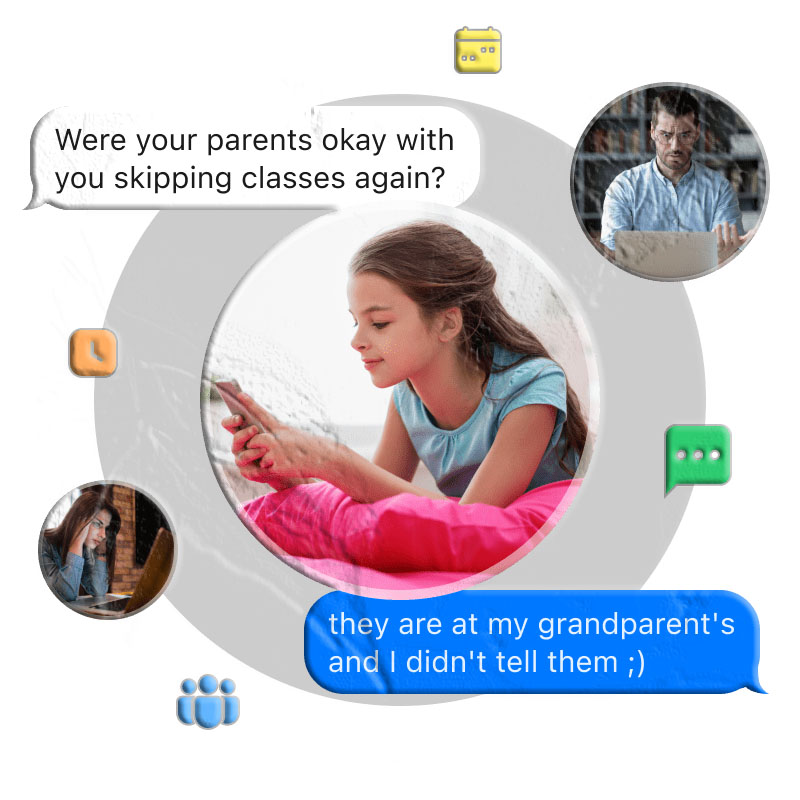
Text messages remain one of the most revealing windows into a child’s social world. Despite the explosion of dedicated messaging apps — WhatsApp, Snapchat, Instagram Direct, and dozens of others — standard SMS text messaging continues to carry a significant portion of the conversations children and teenagers have every day. And for the rest, those dedicated apps have become the new channels through which the same conversations flow: the ones about friendships and relationships, about what is happening at school, about plans that the child may or may not want their parents to know about.
For parents, this creates a challenge that is both practical and emotional. The practical challenge: the messages that matter most are happening across multiple platforms, on a device the parent does not hold, in conversations the child considers private. The emotional challenge: how much should a parent actually see? When is message monitoring a legitimate safety tool and when does it become an intrusion that damages the trust families depend on?
These are real questions, and they deserve real answers. This guide addresses both the practical and the ethical dimensions of SMS monitoring — what MyParental’s SMS Tracker provides, how it works technically, what it captures across SMS and supported messaging apps, how to interpret and act on what it shows, what its limits are, and how to use this capability in a way that genuinely serves a child’s safety without sacrificing the relationship that makes a family function.
1. Why Text Messages Still Matter for Parental Oversight
In an era when dedicated messaging apps have proliferated so dramatically, it might seem like standard SMS text messaging has become irrelevant. In practice, it has not. SMS remains in active and significant use across most demographics of children and teenagers, and its persistence reflects something important about how people use different communication channels for different purposes.
SMS as a Baseline Communication Channel
Cellular text messaging does not require an account, an app download, or a data connection beyond basic cellular coverage. It works on every smartphone by default. As a result, SMS functions as the lowest-friction communication channel — the one that is always available, that works regardless of what apps are installed, and that is used for communications that need to happen without depending on any specific platform.
For children and teenagers, SMS carries a specific type of communication: direct, bilateral exchanges with known contacts, often for logistical or time-sensitive purposes. A child who uses WhatsApp for social conversations with friend groups may use SMS for quick exchanges with parents and immediate family. But SMS is also where communications happen when a child does not want a conversation accessible through a platform that requires an account (and therefore a recoverable history) — conversations with contacts the child does not want formally associated with them on any named service.
The Signal-to-Noise Opportunity
Because SMS is simpler and more direct than most messaging apps, the signal-to-noise ratio in a child’s SMS log is often higher than in their social media messaging. An unknown number that appears repeatedly in SMS with extended conversation duration, or a pattern of late-night SMS activity with specific contacts, tends to be more clearly meaningful than the same pattern within a high-volume social messaging environment.
For parents who want to understand the outline of their child’s communication landscape without necessarily reading every message on every platform, the SMS log is often the most informative starting point.
2. The Messaging Landscape: Where Children Actually Communicate
To use any messaging monitoring tool effectively, it helps to understand where children’s communication actually happens — which channels carry which types of conversations.
The Platform Fragmentation Reality
A typical teenager in many countries maintains active presence across four to seven different communication channels simultaneously. Different social circles use different platforms. Different types of conversation feel more natural in different environments. The result is that a child’s communication is genuinely distributed across multiple apps, and monitoring any single channel gives only a partial picture of the whole.
The Pew Research Center has documented the complexity of teenager platform use — with different platforms dominant for different age groups, different demographics, and different types of social interaction. Understanding this fragmentation helps parents think about which monitoring tools they need and why SMS monitoring alone is not sufficient for comprehensive visibility.
Standard SMS: Direct and Bilateral
Standard SMS messaging — the native text message app on any smartphone — is used primarily for direct, bilateral communication. It lacks the group dynamics of social messaging apps, the content feeds of social platforms, and the ephemeral features of Snapchat. What it provides is a simple, always-available channel for one-to-one text communication that parents can review through the device’s native message history or through a monitoring tool.
App-Based Messaging: Social and Multi-Dimensional
Platforms like WhatsApp, Snapchat, Instagram, and Facebook Messenger carry a much wider range of communication types. Group chats with dozens of members. Media sharing — photos, videos, GIFs, stickers. Voice and video calls. Stories and status updates. Disappearing messages. The social dynamics within these platforms are more complex, the content more varied, and the implications for parental oversight more significant than SMS alone.
The fact that many of these platforms use end-to-end encryption for messages in transit — meaning messages cannot be read on the network — makes them both genuinely privacy-protective for users and more challenging for parental monitoring.
3. What Parental SMS Monitoring Is Designed to Address
Before evaluating any monitoring tool, understanding what specific parental concerns it is designed to address helps frame its appropriate use.
Cyberbullying Through Private Messaging
Research from the Cyberbullying Research Center consistently identifies direct messaging — including both SMS and app-based messaging — as one of the primary channels through which cyberbullying occurs. The privacy of direct messages makes bullying there particularly damaging and particularly difficult for adults to detect. Most targets of messaging-based bullying do not disclose it to parents because of embarrassment, fear that disclosure will make things worse, or the social complexity of involving adults in peer conflicts.
Message monitoring gives parents an independent means of noticing patterns of hostile communication directed at or from their child — patterns the child may never disclose and that would be entirely invisible without some form of monitoring.
Contact with Unknown or Concerning Individuals
Unknown numbers or accounts appearing in a child’s message history — particularly with significant communication volume or at concerning hours — are one of the most practically useful signals that message monitoring surfaces. The National Center for Missing and Exploited Children documents ongoing cases in which adults establish contact with minors through messaging channels, beginning with what appears to be ordinary social interaction and progressing toward exploitation.
A parent who has visibility into their child’s messaging can notice when unfamiliar contacts appear, when communication with new contacts escalates rapidly, and when the content of exchanges shifts in direction that suggests something other than ordinary peer interaction.
Coordination for Unapproved Activities
Text messages and messaging apps are frequently the coordination layer for adolescent activities that parents have not approved — plans made through group chats that bypass parental awareness entirely. Message monitoring does not mean a parent needs to read every social exchange, but having the ability to look when something seems off allows parents to understand what is being coordinated without relying entirely on the child’s disclosure.
Inappropriate Content Including Images
Explicit images are shared through SMS (as MMS) and through messaging apps at a rate that surprises most parents. The Internet Watch Foundation documents the prevalence of explicit image sharing involving minors across messaging platforms. Message monitoring that includes image access gives parents the ability to notice when inappropriate visual content is moving through their child’s messaging environment before the situation creates lasting legal or reputational harm for the child.
4. MyParental SMS Tracker: Feature Overview
MyParental’s SMS Tracker is a component of the MyParental parental control platform, available free for Android and iOS. The SMS monitoring feature set covers:
Sent and received SMS messages — the complete text content of both outgoing and incoming standard text messages on the child’s device, displayed in conversation thread format with timestamps.
Contact identification — the name of each contact (if saved in the device’s address book) or the raw phone number for unsaved contacts, for every conversation in the monitoring log.
MMS image and video monitoring — photos and videos sent and received as part of MMS messages, accessible alongside the text conversations in the parent dashboard.
Messaging app support — monitoring capability extending beyond SMS to include WhatsApp, Snapchat, Facebook Messenger, Instagram Direct, and additional platforms, all accessible through the same parent dashboard.
Remote dashboard access — all message monitoring data accessible from the parent’s device (available on the Android) or through any web browser, without requiring physical access to the child’s phone after the initial setup.
5. Monitoring Sent and Received SMS Messages
The core of MyParental’s SMS monitoring is the bilateral capture of text message conversations — both what the child sends and what the child receives.
Why Both Directions Matter
A message monitoring system that shows only what the child sends tells an incomplete story — and potentially a misleading one. Outgoing messages without the incoming messages that prompted them, or incoming messages without the child’s responses, lack the context that makes a conversation interpretable. Understanding a messaging exchange requires seeing both sides.
MyParental captures both incoming and outgoing messages for each conversation, displaying them in thread format — the same sequential presentation used by the device’s own messaging app, showing messages from both the child and the contact in chronological order.
Contact Overview: The Bird’s-Eye View
Beyond individual conversation threads, MyParental provides a contact-level overview of SMS activity — showing the parent which contacts the child has exchanged messages with, in order of most recent activity. This bird’s-eye view allows the parent to quickly identify:
- Which contacts are most active in the child’s SMS communication
- Whether any unfamiliar contacts (unknown phone numbers) are appearing in the message log
- Which contacts have recent activity that did not exist in previous reviews
For parents who want regular awareness without reading every message, this contact overview is the most efficient starting point — a quick scan of the contact list reveals whether anything warrants closer attention.
Timestamps: When Matters as Much as Who
Every message in MyParental’s SMS monitoring log includes a timestamp — the date and time the message was sent or received. Timestamp data adds an important layer of context:
A message from an unfamiliar number during school hours on a weekday, or a series of messages between midnight and 2am that suggests the child was awake and communicating when they should have been asleep, or a burst of high-volume messaging immediately before the child exhibited a behavioral change — all of these timing patterns are visible in the timestamp data and provide context that the message content alone does not.
6. Images and Multimedia in Text Messages
SMS messaging extends beyond text through MMS — Multimedia Messaging Service — which allows photos, videos, and other media files to be sent as part of text message exchanges. MyParental’s SMS monitoring includes access to these MMS media files.
Why Image Monitoring in SMS Matters
The images moving through a child’s SMS messaging represent a dimension of their communication that text monitoring alone cannot capture. A conversation that is entirely innocuous in its text content may be accompanied by images that are not — explicit photos, screenshots of concerning content, or images that document situations the parent would want to know about.
Conversely, MMS monitoring can also confirm that the visual content being exchanged is exactly as ordinary as the text suggests — another data point contributing to the parent’s overall understanding of the child’s messaging environment.
Explicit Image Sharing Through SMS
SMS and MMS represent one of the channels through which explicit image sharing among young people occurs. While dedicated apps with disappearing content features (particularly Snapchat) are often the primary channel for this kind of sharing, standard SMS is also used — particularly for sharing images with contacts who are using SMS rather than specific apps. The images shared through MMS do not disappear; they persist in the device’s message history until explicitly deleted.
A parent monitoring MMS content has visibility into the visual material moving through their child’s standard messaging — including images that were sent or received before monitoring was established, to the extent they remain in the local message history.
What MyParental Shows for MMS
Photos and videos sent or received through SMS/MMS appear in MyParental’s monitoring dashboard alongside the text conversations they were part of. A parent reviewing a conversation thread sees both the text messages and any images or videos that were shared within that exchange, with the media displayed inline in the conversation context.
7. Accessing Messages Remotely: The Control Panel
MyParental’s message monitoring data is accessible through the parent dashboard — what the platform calls the Control Panel — from any device the parent has access to.
The Dashboard Interface for SMS
In the SMS monitoring section of the MyParental parent dashboard, the interface presents:
- Conversation list — all SMS contacts the child has exchanged messages with, ordered by most recent activity, with a preview of the most recent message for each
- Individual conversation threads — tapping or clicking a contact opens the full message thread with that person, showing all messages in chronological order with sent/received indicators and timestamps
- Media gallery — photos and videos shared through MMS are accessible both within the conversation thread and through a dedicated media view
Multi-Device Remote Access
The parent dashboard is accessible from the parent’s own smartphone — through the MyParental app on Android or iOS — or from any modern browser at the MyParental website. A parent at work can check the SMS monitoring log from their work laptop. A parent traveling can review the week’s messaging activity from their hotel. No restriction on device type or location applies — any internet-connected device with dashboard access works equally.
Data Sync and Currency
Message data syncs from the child’s device to the MyParental dashboard at regular intervals, contingent on the child’s device having an active internet connection. Each message entry is timestamped with when the message was sent or received on the child’s device, not when it was synced to the dashboard. A gap between a message’s timestamp and its appearance in the dashboard reflects a syncing delay, not the message having been sent at a different time than shown.

8. Beyond SMS: Messaging App Monitoring
Standard SMS monitoring gives parents visibility into traditional text message activity. But as described earlier, a significant — often majority — portion of children’s messaging activity happens through dedicated apps rather than through SMS. MyParental’s monitoring extends to these platforms.
The technical basis for messaging app monitoring is different from SMS monitoring. App-based messaging platforms use end-to-end encryption in transit, meaning messages cannot be read on the network. MyParental accesses these messages by reading from the locally stored data on the child’s device — the messages that have already been received, decrypted by the app, and stored locally in the app’s database. This requires MyParental to be installed on the device with appropriate permissions.
The platforms supported by MyParental’s messaging monitoring include WhatsApp, Snapchat, Facebook Messenger, Instagram Direct, and several others. Each is covered in the sections below.
9. WhatsApp Monitoring
WhatsApp is the dominant messaging platform globally, with over two billion active users. In many countries outside the United States, WhatsApp has entirely replaced SMS as the standard communication tool. Even in markets where WhatsApp is not the single dominant platform, it is widely used among children and teenagers.
What Makes WhatsApp Monitoring Important
WhatsApp’s combination of free messaging and calling (over data or Wi-Fi rather than cellular), end-to-end encryption, and group messaging capabilities makes it particularly attractive for children’s social communication. Group chats coordinating social activities, private conversations with friends, and — in some cases — conversations with contacts whose identity parents may not know, all flow through WhatsApp.
WhatsApp’s encryption is one of the platform’s most valued features from a user privacy standpoint — and one of the features that makes WhatsApp activity invisible to parents who rely on network-level monitoring. MyParental’s WhatsApp monitoring accesses locally stored message data on the child’s device after delivery rather than attempting to intercept encrypted transmissions.
What MyParental Shows for WhatsApp
MyParental’s WhatsApp monitoring covers:
- Chat messages — the text content of one-on-one WhatsApp conversations, displayed in thread format with timestamps and contact information
- Group chat messages — messages from all participants in WhatsApp group chats the child is part of, including both the child’s messages and those of other group members
- WhatsApp voice and video call logs — records of calls made and received through WhatsApp, including contact information, call direction, date, time, and duration (WhatsApp calls use internet rather than cellular, so they do not appear in the standard phone call log)
- Shared media — photos and videos exchanged through WhatsApp conversations
For parents in countries where WhatsApp is the primary messaging platform, WhatsApp monitoring is often the most important component of the messaging monitoring suite — because that is where the most significant communication actually happens.
10. Snapchat Monitoring
Snapchat is built around a core concept that makes it both uniquely appealing to young people and uniquely challenging for parental oversight: content that disappears. Messages, photos, and videos sent through Snapchat vanish after being viewed, leaving no standard persistent history.
Why Snapchat Warrants Specific Monitoring Attention
Children who want to communicate content they believe their parents should not see gravitate toward Snapchat precisely because of the disappearing design. The platform is a preferred channel for exactly the kinds of communication that monitoring is most important for — inappropriate image sharing, coordination for activities the child is hiding, and contact with individuals the child does not want associated with their other communication.
How MyParental Addresses Snapchat’s Disappearing Content
MyParental’s approach to Snapchat monitoring combines locally stored data access (where Snapchat content persists in local storage before being cleared) with screen capture technology that documents content as it appears on the device screen. When Snapchat content — a snap, a chat message, a story — is displayed on the child’s screen, MyParental’s screen recording capability captures it, creating a record of the content before it disappears from Snapchat’s interface.
This screen capture approach extends the monitoring coverage beyond what history-based access alone provides, though parents should understand that screen capture effectiveness depends on the content being actively displayed at the time of capture — not all disappearing content will be captured in all circumstances.
Contact Identification in Snapchat
Even where specific message content is not captured before deletion, MyParental’s monitoring can surface contact-level information about Snapchat activity — which contacts the child is in regular communication with through the platform. Unknown Snapchat contacts appearing with high communication volume provide a signal worth investigating even when the specific message content is not available.
11. Facebook Messenger Monitoring
Facebook Messenger serves over a billion users globally as a standalone messaging platform integrated with Facebook’s social network. It carries text messaging, photo and video sharing, voice and video calls, and — through its Vanish Mode feature — disappearing messages.
The Messenger Monitoring Context
Many parents associate Facebook with an older demographic and may not realize how actively their children use Messenger specifically. Messenger’s connectivity — it integrates with Facebook accounts that many children have, and can also communicate across Instagram on the same Meta platform — makes it a widely used channel for both peer messaging and family communication.
Messenger’s group chat functionality is one of its most socially significant features for younger users. Group chats organized around social groups, classes, or specific events are common Messenger use cases for teenagers, and the dynamics that play out in those group chats — including both ordinary social coordination and, in some cases, bullying and harmful peer dynamics — are invisible to parents without monitoring.
Vanish Mode and MyParental’s Response
Messenger’s Vanish Mode allows messages to disappear after being read — the same type of ephemeral communication available through Snapchat. MyParental’s screen recording capability addresses Vanish Mode messages the same way it addresses Snapchat disappearing content: by capturing what appears on the device’s screen before it disappears from the app’s record.
What MyParental Shows for Messenger
MyParental’s Facebook Messenger monitoring covers private one-on-one messages, group chat messages from all participants, photos and videos shared through Messenger conversations, and screen captures of Vanish Mode content.
12. Instagram Direct Monitoring
Instagram is primarily thought of as a photo and video sharing social platform, but its direct messaging system — Instagram Direct — is an extensively used private communication channel among young people, often carrying conversations that are as significant as anything on more obvious messaging platforms.
Why Instagram Direct Warrants Attention
Instagram’s social architecture creates a specific dynamic around Instagram Direct. Children who follow each other on Instagram can message directly without any additional contact exchange — the follow relationship is the implicit consent to direct communication. This means the pool of people who can reach a child’s Instagram Direct inbox extends to anyone they follow or who follows them, which on a typical teenager’s account may number in the hundreds.
Unknown adults who follow a child on Instagram have a direct messaging pathway to that child through Instagram Direct that the child’s SMS call log or WhatsApp contact list would not show. Instagram Direct monitoring gives parents visibility into this additional communication channel.
What MyParental Shows for Instagram Direct
MyParental’s Instagram monitoring covers direct messages — the text content of conversations, shared images and videos, and the contact information for each messaging partner. This gives parents insight into both the social dynamics of the child’s Instagram relationships and the specific content of the private conversations that happen through the platform.
13. Additional Supported Platforms
MyParental’s messaging monitoring extends beyond the major platforms above to include several additional applications that are actively used by children and teenagers in various contexts.
Telegram — one of the fastest-growing messaging platforms globally, particularly popular among users who prioritize privacy features. Telegram’s channels, groups, and private messaging are all in active use among younger users. MyParental’s monitoring covers Telegram message activity on the child’s device.
Viber — widely used in Eastern Europe, the Middle East, and parts of Asia, Viber is a comprehensive messaging and calling app whose use varies significantly by geographic market. In regions where Viber is dominant, MyParental’s monitoring of Viber activity is correspondingly more important.
Kik — a messaging app historically popular among teenagers specifically because it allows messaging using only a username rather than a phone number, creating a layer of separation from the user’s real identity. This anonymity feature has been associated with use for communication that users want to keep separate from their identified social media presence.
Skype — Microsoft’s long-established communication platform, used for messaging and video calling, particularly for international communication.
Tinder — while primarily associated with adult dating, Tinder is accessible to users 18 and over in most markets and to 17-year-olds in some configurations. Its presence on a younger teenager’s device is itself a signal worth parental attention.
The availability and depth of monitoring for each specific platform may vary depending on the device’s operating system version, the platform’s current app version, and how locally stored data is structured on the device. MyParental’s current documentation provides the most accurate information on which platforms are actively supported and at what level.
14. How SMS and App Monitoring Works Technically
A clear understanding of the technical basis of MyParental’s message monitoring helps parents set accurate expectations about what it can capture and where its limits lie.
SMS: Native Database Access
Standard SMS messages are stored in the device’s native SMS database — the same database the device’s messaging app reads to display conversations. On Android, this database is accessible through standard system APIs when the appropriate permission (READ_SMS) has been granted during MyParental’s installation. MyParental reads from this database and syncs the message data to the parent dashboard.
This is technically straightforward and reliable for standard SMS. The locally stored SMS database persists until messages are manually deleted, meaning MyParental can capture both current messages and historical messages that exist in the database from before monitoring was established.
App-Based Messaging: Local Data Access
For messaging apps that use end-to-end encryption — WhatsApp, Messenger, Telegram, and others — messages cannot be intercepted in transit. MyParental accesses the local data stored on the child’s device by the messaging app itself.
When an encrypted message arrives at the recipient’s device, the app decrypts it and stores the plaintext locally — in the app’s own local database — to display it to the user. MyParental, with the accessibility service permission and appropriate storage access, can read from these locally stored databases to access message content that has already been decrypted and stored on the device.
This approach has two important implications:
Physical installation is required. Remote monitoring of encrypted messaging apps without installation on the device is not possible for legitimate apps operating within Android’s or iOS’s security models. The monitoring works at the device level, not at the network level.
Deletion timing matters. If messages are deleted from the app’s local storage before MyParental syncs, those specific messages may not be captured. Some apps — particularly Snapchat with disappearing messages — are specifically designed to minimize local data retention, which is why MyParental’s screen capture capability is the primary tool for those platforms.
Screen Capture for Ephemeral Content
For content that disappears from local storage — Snapchat snaps, Messenger Vanish Mode messages, WhatsApp disappearing messages — MyParental uses its accessibility service integration to capture screenshots of what appears on the device screen when these apps are in use. This captures the content at the moment of display rather than relying on data that may no longer be present in local storage.
Screen capture effectiveness depends on the content being actively displayed when a capture occurs. It does not provide perfect coverage of all ephemeral content but significantly extends monitoring capability beyond what history-based access alone would provide.
Android vs. iOS
Android’s permission model is more permissive than iOS for the types of background access that message monitoring requires. The full feature set described in this guide is available on Android through the permission framework. iOS imposes significantly stricter controls on cross-app data access, which limits the depth of monitoring available on iPhone and iPad. Parents using MyParental on iOS child devices should review current feature availability to understand what is accessible on that platform specifically.
15. How to Set Up MyParental SMS Tracker
MyParental’s SMS monitoring is part of the broader MyParental installation — no separate setup is required. The following steps cover the complete process.
Step 1 — Install MyParental on Your Own Device
Download and install the MyParental parent app from the website. Alternatively, access the complete parent dashboard from any browser at the MyParental website without installing an app on your own device.
Step 2 — Create a Free Account
Open MyParental or navigate to the MyParental website and register a free account using your email address. Sign in to access the parent dashboard. Use a strong password and an email address the child does not have access to.
Step 3 — Install MyParental on the Child’s Device
This step requires brief physical access to the child’s phone or tablet.
During setup on the child’s device, grant the required permissions when prompted. For SMS and messaging monitoring, the critical permissions include:
- SMS read permission — enables access to the native SMS database for standard text message monitoring
- Accessibility service — enables MyParental to read content displayed within messaging apps including WhatsApp, Snapchat, and Instagram, and enables screen capture for disappearing content
- Storage/media access — enables access to locally stored app data and media files including MMS images and app-shared media
- Notification access — enables MyParental to capture incoming message notifications, providing coverage for messages even if the app is closed
Follow the complete setup sequence. Tap Hide and continue when prompted to reduce the app’s visibility on the child’s device. Configure the keep-alive settings as directed to ensure MyParental’s background service continues running reliably.
Step 4 — Pair the Devices
In the parent dashboard, generate a QR code or binding code. Enter it on the child’s device in the MyParental app to complete the pairing. Once paired, message data begins syncing to the parent dashboard.
Step 5 — Navigate to SMS Monitoring
In the parent dashboard, find the SMS or Messages section. Standard text messages will appear here as they are synced from the child’s device. For messaging app monitoring, each supported platform has its own section within the dashboard — WhatsApp, Snapchat, Instagram, and others are accessed separately within the social apps monitoring area.
16. The Legal Framework for Message Monitoring
Message monitoring sits within a legal framework that parents should understand before using these tools.
Parental Monitoring of Minors
In most jurisdictions, parents have broad legal authority to monitor their minor children’s communications — including text messages — on devices the parent owns and provides to the child. This authority flows from parents’ legal responsibility for their children’s safety and wellbeing.
The Electronic Communications Privacy Act (ECPA) in the United States governs the interception of electronic communications. Parental monitoring of a minor’s device owned by the parent is generally understood to fall within lawful parental oversight. State laws vary, and some states impose additional requirements.
In the European Union, the General Data Protection Regulation (GDPR) and national implementing laws create a framework around personal data that may interact with monitoring activities. Parents in the UK, Australia, Canada, India, and other countries operate under their own applicable frameworks.
Group Chat Third-Party Privacy
Messaging app monitoring — particularly group chat monitoring — captures messages sent by people other than the child. Friends, classmates, and others who participate in group conversations with the child have not consented to having their messages read by the monitoring parent. This third-party dimension is worth acknowledging ethically, even where the legal framework does not specifically prohibit it.
The Age of Majority
The broad parental authority applicable to monitoring minor children changes fundamentally when the child reaches the age of majority — 18 in most jurisdictions. Monitoring an adult’s messages without their consent is treated as an unauthorized access to private communications under virtually all applicable legal frameworks.
Recording-Specific Laws
While reviewing stored text messages is generally treated as less legally sensitive than live call recording, some jurisdictions have laws that specifically address access to stored electronic communications. Parents with specific legal questions about message monitoring in their jurisdiction should consult a qualified attorney.
17. Privacy, Trust, and Responsible Use of Message Monitoring
The technical capability to monitor a child’s messages and the ethical framework for doing so responsibly are two separate questions, both deserving careful thought.
The Case for Transparent Monitoring
Message monitoring is most ethically defensible — and practically most effective — when conducted transparently. A child who knows that their text messages can be reviewed by a parent makes different choices than one who believes their messaging is entirely private. That behavioral effect is itself a safety outcome the parent is trying to achieve.
Transparent monitoring also avoids the significant trust damage that occurs when covert monitoring is discovered — which, in the experience of most families, it eventually is. A child who discovers they have been monitored secretly typically experiences it as a betrayal, with effects on the parent-child relationship that can be lasting and difficult to repair.
The conversation about message monitoring does not have to be lengthy or adversarial. A simple, direct framing — “I have access to your text messages and I check in on them sometimes, not because I don’t trust you, but because I want to know you’re safe” — is honest, clear, and positions monitoring as the safety tool it is rather than as an expression of distrust.
Using What You Find Effectively
Parents who monitor messages will sometimes find things that concern them. The effectiveness of the response depends almost entirely on how the parent uses the information.
The most common mistake is leading with the monitoring itself — “I read your messages and I know what you said.” This shifts the conversation from the actual concern to the monitoring, triggers defensiveness, and often obscures the underlying issue that warranted attention. A more effective approach uses the information to initiate a conversation about the concern itself, without necessarily revealing the specific mechanism by which it came to the parent’s attention. “I’ve been worried about some of your friendships lately and I wanted to talk” opens a dialogue; “I read your texts and I know about X” closes one.
When monitoring surfaces a genuine safety issue — predatory contact, cyberbullying, explicit image sharing — the response needs to be proportionate to the severity. Serious safety concerns warrant immediate, direct parental action. Less acute concerns are better addressed through supportive conversation than confrontation.
Proportionality and Age
The appropriate level of message monitoring changes significantly as children grow. A ten-year-old receiving their first smartphone is appropriately monitored more closely than a sixteen-year-old with a track record of responsible communication. The American Academy of Pediatrics consistently frames digital parenting as a process of progressive autonomy — beginning with close oversight and extending trust incrementally as the child demonstrates judgment.
Message monitoring settings should reflect this trajectory — more comprehensive for younger children, progressively lighter as the child’s demonstrated responsibility increases, eventually transitioning to trust in the young adult’s own judgment. MyParental’s settings are fully adjustable, making it straightforward to reduce monitoring intensity as the child matures and the monitoring purpose is progressively achieved.
Frequently Asked Questions
How does MyParental’s SMS Tracker work?
MyParental’s SMS Tracker accesses text messages stored in the native SMS database on the child’s Android or iOS device, using the permissions granted during installation. Sent and received messages are synced to the parent dashboard, where they are displayed in conversation thread format with timestamps and contact information. MMS media files — photos and videos — are accessible alongside the text conversations they were part of.
Can I see messages from WhatsApp, Snapchat, and other apps — not just SMS?
Yes. MyParental’s messaging monitoring extends beyond standard SMS to include WhatsApp, Snapchat, Facebook Messenger, Instagram Direct, Telegram, Viber, Kik, Skype, and Tinder. Each platform’s data is accessible through the parent dashboard. The technical approach varies by platform — encrypted app messaging is accessed through locally stored data rather than transit interception.
Does SMS monitoring require physical access to the child’s phone?
Physical access to the child’s device is required for the initial installation of the MyParental child app and the granting of necessary permissions. After setup is complete, all monitoring and settings management happens remotely through the parent dashboard — no further physical access to the child’s phone is needed.
Can MyParental see images sent through text messages?
Yes. Photos and videos sent and received through MMS (multimedia text messages) are captured alongside the text content of the conversation and accessible in the parent dashboard. Images shared through messaging apps — WhatsApp, Messenger, and others — are also accessible through the respective app monitoring sections.
What happens to messages the child deletes before MyParental syncs?
Messages that are deleted from the device before MyParental syncs them to the dashboard may not be captured in the monitoring log. For SMS messages that persist in the native database, regular syncing reduces this gap. For disappearing content on platforms like Snapchat and Messenger’s Vanish Mode, MyParental’s screen capture capability provides monitoring coverage that does not depend on persistent data storage.
Is it legal to read my child’s text messages through MyParental?
In most jurisdictions, parents have broad legal authority to monitor their minor children’s communications on devices the parent owns. The legal situation changes when the child reaches adulthood. Laws vary by country and region — parents should verify the applicable framework in their specific location. For any significant legal uncertainty, consulting a qualified attorney is the appropriate step.
Does message monitoring work the same on iPhone as on Android?
Android provides more comprehensive message monitoring capability due to the platform’s more permissive permission model. iOS imposes stricter controls on cross-app data access, which limits some monitoring features on iPhone and iPad. The depth of messaging app monitoring on iOS may be more limited than on Android. Current iOS-specific capability details are available at the MyParental website.
Will the child know their messages are being monitored?
MyParental is designed to run in the background without obvious visibility on the child’s device. Whether to tell the child that messages are monitored is a parenting decision. As discussed in the ethics section of this guide, transparent monitoring — where the child knows messages can be reviewed — generally produces better family outcomes than covert monitoring that is discovered unexpectedly.
Can I see group chat messages from messaging apps?
Yes. For supported platforms including WhatsApp and Facebook Messenger, MyParental’s monitoring covers both private one-on-one conversations and group chats. Group chat messages from all participants are visible in the parent dashboard, showing not just what the child says in a group but the full conversational context around it.
Is MyParental’s SMS Tracker free?
Yes. SMS and messaging app monitoring — including standard text messages, MMS images, WhatsApp, Snapchat, Facebook Messenger, Instagram, and other supported platforms — is part of MyParental’s free platform. Download MyParental and access the parent dashboard from any browser.
Bringing It Together
Text messages and messaging apps are where a significant and often critical portion of children’s social lives unfold — the friendships, the conflicts, the peer dynamics, and sometimes the concerning contacts and content that parents most need to know about. MyParental’s SMS Tracker provides visibility into this entire communication landscape: standard SMS messages with full content and image access, and monitoring that extends across WhatsApp, Snapchat, Facebook Messenger, Instagram Direct, Telegram, and other supported platforms.
Used transparently, proportionately to the child’s age and demonstrated judgment, and with the clear goal of supporting the child’s safety rather than maintaining surveillance for its own sake, message monitoring is one of the most practically valuable capabilities in a digital parenting toolkit — one that closes the gap between knowing a child uses these platforms and actually understanding what is happening there.
Download MyParental for Android from the MyParental site. Access the SMS Tracker and full monitoring dashboard from any browser at the MyParental website.