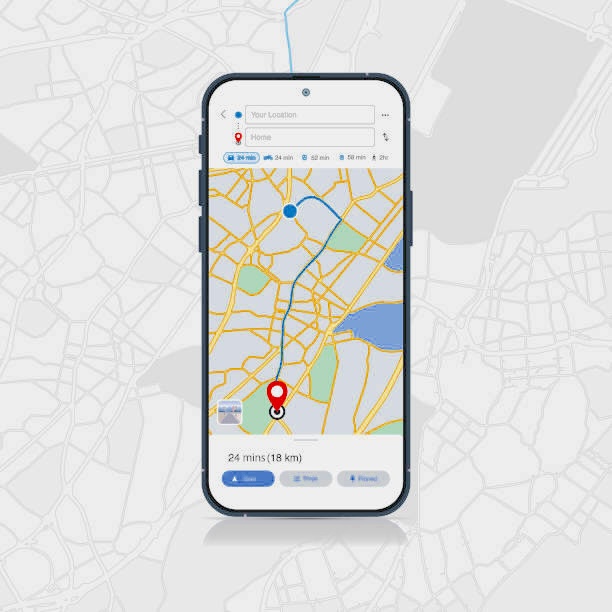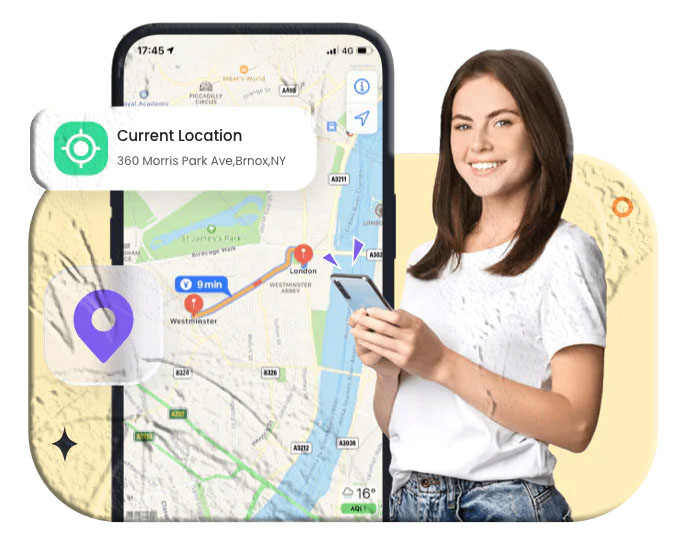

There’s a moment most parents will recognize — that quiet knot of anxiety when a child is late coming home from school and not answering their phone. Or the moment a teenager’s plans change three times in an afternoon and you’ve lost track of where they actually are. For a few minutes, or sometimes longer, you’re simply waiting and hoping.
Real-time location tracking was built, in part, for exactly that feeling. Not to control — but to reduce uncertainty. To move from “I wonder where they are” to “I can see they’re still at the mall, heading toward the parking lot.” That shift from worried guessing to calm awareness is genuinely valuable, and for many families, it changes the texture of everyday life.
But real-time location tracking goes well beyond worried parents. Businesses use it to coordinate delivery fleets and field teams. Travelers use it to share their whereabouts with people back home. Friends use it to find each other at crowded events. Caregivers use it to make sure elderly relatives with dementia haven’t wandered. Pet owners attach GPS tags to collars so they don’t spend the afternoon searching the neighborhood.
The technology itself has matured dramatically. What once required expensive proprietary hardware and IT infrastructure is now available as a smartphone app, often free or for a few dollars a month. The quality of location data — accuracy, update frequency, map integration — has improved substantially as GPS chipsets have gotten better and mobile networks have become denser.
This guide covers four distinct real-time location tracking methods in depth, including the underlying technology that makes each one work, the best available tools for each approach, their practical limitations, and the ethical considerations that should shape how any of these methods are used. Whether you’re looking for the right family tracking app, a way to share your location while traveling, or a solution for monitoring a child’s device, you’ll find a complete picture here.
Understanding How Real-Time Location Tracking Works
Before exploring the specific methods and apps, it’s worth understanding the technology underneath — because the accuracy, battery impact, and privacy implications of any tracking solution flow directly from the technical mechanisms it uses.
GPS: The Gold Standard for Location Accuracy
The Global Positioning System (GPS) is a network of satellites maintained by the US government that continuously broadcasts precise timing signals. A GPS-equipped device receives signals from multiple satellites simultaneously and uses the time differences between those signals to calculate its position through a process called trilateration.
Modern smartphones contain GPS chips that can resolve position to within a few meters under good conditions — when the sky is visible, the device is outdoors, and several satellites are in range. GPS is the most accurate location technology available to consumers, and it works anywhere on Earth with open sky access, independent of any cellular or Wi-Fi network.
The trade-off is power consumption. GPS calculations require continuous satellite signal acquisition, which draws significant battery. Apps that maintain a constant GPS fix — like dedicated tracking apps set to high-frequency update intervals — can drain battery noticeably faster than apps that use location sparingly.
GPS accuracy degrades in dense urban environments (where tall buildings reflect satellite signals, causing “urban canyon” errors), indoors (where signals don’t penetrate well), and underground. In these conditions, smartphones supplement GPS with other location technologies.
Cell Tower Triangulation
When GPS isn’t available or is supplemented, smartphones use the cellular network to estimate position. Each cell tower serves a coverage area, and by measuring signal strength from multiple visible towers, a device can estimate its position within that coverage pattern.
Cell tower triangulation is significantly less accurate than GPS — typically accurate to within a few hundred meters in urban areas with dense tower coverage, and potentially within several kilometers in rural areas with sparse coverage. But it works indoors and underground, has minimal battery impact, and provides a location estimate even when GPS fails completely.
Mobile network providers have invested substantially in improving location accuracy through their infrastructure, and modern implementations combine tower triangulation with GPS and Wi-Fi data for better results.
Wi-Fi Positioning
Smartphones can also estimate location using nearby Wi-Fi networks. Companies like Google and Apple maintain databases that map Wi-Fi network identifiers (MAC addresses and SSIDs) to physical locations. When a device sees a set of Wi-Fi networks, it queries this database to find where those networks are typically located.
Wi-Fi positioning is often more accurate than cell tower triangulation indoors — where GPS fails but Wi-Fi networks are usually dense — though it depends on the database being up-to-date and requires Wi-Fi to be enabled (though not necessarily connected to a network).
How Modern Apps Combine All Three
Most tracking apps use all three technologies simultaneously through a system called Assisted GPS (A-GPS). The phone uses cell tower and Wi-Fi data to get a quick rough location estimate, then refines it with GPS data as satellites acquire. This produces faster initial location fixes than pure GPS while maintaining the accuracy that GPS provides once locked.
The combination also allows location tracking to continue even when GPS signal is temporarily lost — the app falls back to Wi-Fi and cell data to maintain a location estimate. For practical purposes, this means well-designed tracking apps maintain reasonable accuracy across a wide range of environments.
Method 1: Dedicated Real-Time Location Tracking Apps for Android
For Android users — whether parents, caregivers, employers, or families — dedicated tracking apps provide the most feature-rich and reliable solution. These apps are purpose-built for location sharing and monitoring, offering capabilities that go well beyond what general-purpose apps like Google Maps provide.
What Makes Android Tracking Apps Different From Other Methods
Dedicated tracking apps are designed to run continuously in the background, maintaining an active GPS fix and transmitting location data at regular intervals to a server where authorized users can view it. They typically include:
- Geofencing — the ability to define virtual boundaries and receive alerts when the tracked device crosses them
- Location history — a logged record of where the device has been over a specified period
- Activity alerts — notifications triggered by specific events (arrival at a destination, departure from an area, extended stay in an unusual location)
- Multi-device management — the ability to track multiple family members or devices from a single dashboard
MyParental Family Locator
For parents specifically, MyParental Family Locator is a well-regarded Android tracking solution that takes a family-first approach to real-time location monitoring. It’s designed around the parent-child relationship, with features that extend beyond pure location tracking into comprehensive digital safety.
How MyParental Family Locator Works
After installation on the child’s Android device and pairing with the parent’s device through the MyParental dashboard, the app maintains a continuous GPS fix on the child’s phone and transmits location data to the parent’s device at regular intervals. The parent sees the child’s current position on a map that updates in real time.
The pairing process is designed to be transparent — both devices go through a setup process that links them together, so the child’s device doesn’t operate silently without awareness.
Key Features
Real-Time GPS Tracking: The core feature: an always-updating map showing the child’s current location. Position accuracy depends on GPS signal quality but is generally within a few meters outdoors. The map interface is clean and readable, making it practical to check at a glance rather than requiring sustained attention.
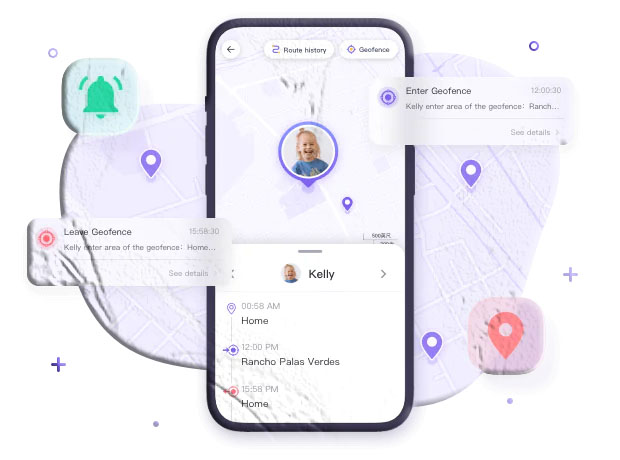
Geofencing with Automated Alerts: One of the most practically useful features for parents. You define a virtual boundary around a specific location — the child’s school, a friend’s house, a sports facility, the neighborhood boundaries — and the app sends an automatic push notification whenever the device enters or exits that area.
This removes the anxiety of wondering whether a child arrived somewhere safely. Instead of texting “are you there yet?” and waiting for a response, the app notifies you automatically. For parents who want awareness without constant contact, geofencing often becomes the feature they rely on most.
Remote Device Monitoring: On Android, MyParental provides the ability to remotely access the camera on the child’s phone to view the surrounding environment in real time. Parents can also record short video clips for later review. This goes beyond location awareness into genuine situational awareness — helpful in circumstances where location alone doesn’t tell you enough about what’s happening.
Screen Time Controls: Set daily schedules for phone usage — specific hours when the phone can be used and daily time limits for each session. This helps manage the common challenge of children spending excessive time on games or social media during times that should be for homework, meals, or sleep.
App and Game Blocking: Block specific apps or game categories, either permanently or during specific time windows. This lets parents restrict access to apps they consider inappropriate or that tend to distract from schoolwork during study hours, while allowing access at other times.
Screen Mirroring: View the child’s device screen in real time through the parent dashboard. This provides direct visibility into what the child is currently doing on their phone — which apps are open, what content they’re viewing — without needing to physically handle the device.
Setting Up MyParental Family Locator
Step 1: Download the MyParental Parental Control app on the parent’s device and create a parent account using your email address.
Step 2: On the child’s Android device, download the MyParental Kids app and complete the initial setup. This should be done with the child present and with their awareness — explaining what the app does and why it’s being installed is good practice both ethically and practically.
Step 3: The MyParental parent app will generate a pairing code. Enter this code on the child’s device to link the two devices together. The pairing is account-specific and secure.
Step 4: Grant the necessary permissions on the child’s device — location access, notification access, and any additional permissions required for the features you intend to use. The app will walk you through each permission and explain why it’s needed.
Step 5: Configure geofences for the locations most relevant to your family — home, school, and any other places the child regularly visits. Set up notification preferences to match the level of awareness you want.
Step 6: From your parent dashboard, you’ll see the child’s location updating in real time. Explore the additional features — screen time controls, app blocking, screen mirroring — and configure them according to your family’s specific needs.
Who MyParental Family Locator Is For
MyParental Family Locator is designed for parents of children and teenagers who want real-time location awareness combined with broader digital safety tools. It’s not designed as a general-purpose location sharing tool between equals — it’s built around a parent monitoring a child’s device, which is reflected in its feature set and permission model.
For families where the child is aware of and has consented to the monitoring (as is appropriate for transparent parenting), it provides one of the more complete sets of capabilities available on Android.
TrackView Location Tracker
For users who want a tracking solution that works across multiple contexts — family, personal, and security — TrackView is a capable option worth noting.
TrackView functions as both a GPS tracker and a remote camera system. It can be installed on any Android device and configured to share that device’s location and camera feed with an authorized viewer. Features include geofencing, a remotely accessible web interface (meaning you can monitor from a computer browser, not just from another phone), and the ability to access the device’s camera remotely.
One important note about TrackView: the app documentation mentions the ability to monitor devices “with or without permission,” which warrants careful consideration. Installing tracking software on someone else’s device without their knowledge or consent is legally problematic in most jurisdictions. The ethical and legal use of any tracking app requires that the person being monitored is either the device owner themselves, has given informed consent, or is a minor child whose parent or guardian is responsible for their safety. Always verify the legal requirements in your jurisdiction before installing any monitoring software on a device you don’t own.
TrackView is available on the Google Play Store and offers a free version with core features.
Method 2: Real-Time Location Tracking on iPhone
Apple’s approach to location tracking reflects its broader privacy philosophy — the tools exist, they’re well-integrated with the operating system, and they’re built around explicit consent and user control. iPhone users have several strong options for real-time location sharing and monitoring.
Apple’s Find My App
Find My is Apple’s built-in location platform, pre-installed on every iPhone, iPad, and Mac. It serves multiple functions: finding your own lost devices, sharing your location with trusted contacts, and tracking family members. For many families where everyone uses Apple devices, Find My is the simplest and most seamless solution available — no third-party apps required, no additional subscriptions.
How Find My Works
Find My uses a combination of GPS, Wi-Fi, and Bluetooth to determine device location. One of its more technically interesting features is its “Find My network” — a vast mesh network of Apple devices that can help locate offline devices by detecting their Bluetooth signal and relaying approximate location data through the network anonymously.
For the location sharing use case, Find My is simpler: you share your location with a contact, and they can see it updating in real time on a map. They can see your location for as long as you choose to share it.
Setting Up Location Sharing on Find My
Step 1: Open the Find My app on your iPhone. If you don’t see it, search for it using Spotlight — it comes pre-installed on all iPhones running iOS 13 and later.
Step 2: Tap the “People” tab at the bottom of the screen.
Step 3: Tap “Share My Location” and enter the name, phone number, or email address of the person you want to share with.
Step 4: Choose how long to share: For One Hour, Until End of Day, or Share Indefinitely. Indefinite sharing is appropriate for ongoing family tracking arrangements; timed sharing works better for temporary situations.
Step 5: The recipient receives a notification asking whether they accept the location share. Once they accept, they can see your real-time location on the Find My map.
Step 6: To stop sharing at any time, return to the People tab, tap the contact’s name, and select “Stop Sharing My Location.”
Family Sharing Integration
Find My integrates with Apple’s Family Sharing feature, which allows families with Apple devices to share purchases, subscriptions, and — relevant here — locations. With Family Sharing configured, parents can see all family members’ locations from a single map view without requiring each person to separately initiate sharing.
Family Sharing and Find My work best when everyone is on an Apple device. If family members use Android, Find My doesn’t cross platforms — you’d need a different solution.
What Find My Does Well and Where It Falls Short
Find My is excellent for what it does: accurate, reliable location sharing within the Apple ecosystem, with strong privacy controls and no subscription cost. Its limitations are that it doesn’t offer geofencing alerts, doesn’t provide location history, and doesn’t work across platforms. For families with mixed devices or who want alert-based monitoring rather than passive checking, a dedicated third-party app fills the gap.
For Apple’s own explanation of Find My features, Apple’s Find My support page provides current, accurate documentation.
iSharing App
For iPhone users who want features beyond what Find My provides — particularly location history, geofencing alerts, and SOS functionality — iSharing is a well-regarded third-party option available on the App Store.
iSharing allows users to:
- Share real-time GPS location with selected contacts privately
- Receive arrival and departure alerts when a family member reaches or leaves a destination
- Send panic alerts — a one-tap emergency notification that shares your location with selected contacts
- View location history for tracked devices over a configurable period
- Track a lost or stolen phone using the last known location
The app is available for iOS on the App Store and also has an Android version, making it a viable cross-platform option for families with mixed devices.
Method 3: Mobile Number-Based Location Tracking
A different category of location tracking uses the mobile network infrastructure — cell towers and their coverage patterns — to estimate the location of a phone based on its number. This approach doesn’t require installing an app on the target device, which is what makes it appealing to some users, but this same characteristic raises significant legal and ethical concerns.
How Mobile Number Tracking Works Technically
When a phone is connected to a mobile network, the carrier knows which cell towers the phone is communicating with. From this information — combined with signal timing and strength data — the carrier can estimate the phone’s location. This information is proprietary to the carrier and is not normally accessible to the public.
Some apps and online services claim to track a phone’s location by number using carrier network data or signal-based triangulation. In practice, most of these services either:
- Work only within controlled environments (enterprise systems that have contracted carrier API access)
- Require the person being “tracked” to also install an app and consent to sharing
- Are ineffective or fraudulent when marketed to consumers as secret tracking tools
Legal and Ethical Reality
This is an area where honest guidance is important: tracking the location of another person’s phone using their number, without their knowledge or consent, is illegal in virtually every jurisdiction. In the United States, it may violate the Electronic Communications Privacy Act and various state-level wiretapping and surveillance statutes. In the European Union, it almost certainly violates GDPR’s provisions on personal data processing without a legal basis. Similar laws exist in most other countries.
The fact that an app claims to offer this capability does not make it legal to use. Many apps marketed as “phone number trackers” are either scams that don’t work as advertised, or they work by extracting consented location data from an app already on the target phone (meaning they’re not really “tracking by number” at all — they require installation).
Legitimate Uses of Network-Based Location
There are legitimate contexts where location tracking through network infrastructure is used:
Carrier family plans with built-in tracking: Mobile carriers including Verizon, AT&T, and T-Mobile offer family tracking features within their account management systems. These work because all phones on the plan are under the account holder’s authority, and the tracked family members have consented as part of signing up for the plan. Verizon’s Family Location tools and AT&T’s ActiveArmor app are examples of this.
Emergency services location: Law enforcement agencies can request carrier location data through legal processes in genuine emergency situations. This is a narrow carve-out that doesn’t extend to private individuals.
Enterprise fleet management: Companies that operate vehicle fleets use contracted carrier APIs to track the location of company vehicles and devices. This requires the employee or driver to be informed and typically to have signed an agreement disclosing the tracking.
For families or individuals looking for real-time location tracking, the app-based methods in this guide — which work through voluntary location sharing with consent — are the appropriate tools. Mobile number tracking without consent is not a legitimate option.
Method 4: Google Maps Real-Time Location Sharing
Google Maps is the most universally available location tool on this list — it’s installed on virtually every Android phone as a default app and is widely used on iPhone. While it’s primarily known as a navigation tool, its location sharing feature is genuinely useful for a range of real-world situations.
What Google Maps Location Sharing Provides
Google Maps allows you to share your real-time location with specific people for a set period — a defined number of hours, “until you turn this off,” or through a one-time link that shows your current position at the moment someone opens it. Recipients see your live location on a standard Google Maps interface, with your position updating as you move.
How to Share Your Real-Time Location on Google Maps
On Android:
Step 1: Open Google Maps on your Android device. Tap your profile photo or initial in the top-right corner.
Step 2: Select “Location sharing” from the menu.
Step 3: Tap “Share location” and choose how long to share — from 15 minutes up to 3 days, or “Until you turn this off” for indefinite sharing.
Step 4: Select how to share: you can share directly with contacts who use Google services, or generate a shareable link that can be sent via any messaging app, email, or SMS.
Step 5: Tap “Share.” If sharing directly with a Google contact, they receive a notification. If sharing via link, anyone with the link can view your location for the duration you specified.
On iPhone:
Step 1: Download and open Google Maps from the Apple App Store if not already installed.
Step 2: Tap your profile photo in the top-right corner.
Step 3: Select “Location sharing” and follow the same process as on Android.
Practical Use Cases Where Google Maps Shines
Meeting coordination: When meeting someone at a crowded venue, festival, or unfamiliar location, sharing a live Google Maps link via WhatsApp or SMS lets the other person see exactly where you are and navigate to you without a complex setup process.
Travel check-ins: Sharing your live location with family members back home while traveling lets them see your journey without requiring them to install a specialized app. The shareable link approach is particularly useful because the recipient doesn’t need a Google account to view it.
ETA sharing: When driving to meet someone, sharing your live location lets them see exactly how far away you are and track your approach — more informative than a text saying “be there in 15 minutes.”
Temporary coordination: Because sharing has a defined expiry time, Google Maps location sharing is self-limiting by design. After the time you set expires, sharing stops automatically.
What Google Maps Location Sharing Doesn’t Provide
Google Maps is not designed as a family tracking or monitoring solution, and it lacks several capabilities that dedicated tracking apps provide:
- No geofencing alerts — you can’t receive a notification when someone arrives at or leaves a specific location
- No location history — you can’t review where someone has been over the past days or weeks
- No background monitoring — the person being tracked needs to actively initiate sharing; it doesn’t run continuously without their participation
- No multi-person family dashboard — tracking multiple family members requires separate sharing arrangements for each person
For parents who need ongoing visibility into a child’s location without requiring the child to initiate sharing before each outing, Google Maps is insufficient as a standalone solution. For casual, cooperative location sharing between adults, it’s one of the simplest and most universally compatible options available.
For more on Google Maps location sharing, Google’s official support documentation provides current instructions for both sharing and managing shared locations.
Privacy Considerations for Google Maps
When using Google Maps location sharing, the shared location data is processed by Google’s servers. Google’s privacy policy governs how that data is handled. Location data shared through Google Maps is associated with the Google account used, which means Google has visibility into the sharing relationships and location data involved.
For users with strong privacy concerns about data collection by large technology companies, this is worth considering. Apple’s Find My is designed with a stronger privacy architecture — Apple states that it cannot see the locations of your devices or the people you share with — which may be relevant for users who prioritize minimizing data collection.
Choosing the Right Real-Time Location Tracking Method
With four methods covered in depth, a practical comparison helps match the right approach to specific situations.
Decision Guide by Use Case
For parents monitoring children on Android: MyParental Family Locator is the strongest fit — it provides continuous real-time GPS tracking with geofencing, location history, and comprehensive parental control features beyond location alone. The app is purpose-built for this relationship.
For Apple families with all-iPhone households: Apple’s Find My with Family Sharing is the simplest starting point. It requires no additional apps or subscriptions and works seamlessly across Apple devices. Add iSharing if geofencing alerts or SOS functionality become important.
For cross-platform families (mixed Android and iPhone): iSharing and MyParental both offer cross-platform support. Life360 is another option widely used in mixed-device households, available on both Google Play and the App Store.
For casual, one-time, or temporary location sharing: Google Maps is the most practical option — universally available, free, requires no special setup, and the recipient doesn’t need to install anything if you share via link.
For traveling and sharing with people back home: Google Maps location sharing via a shareable link is the simplest approach. No app installation required on either end beyond Google Maps itself.
For elderly care monitoring: Dedicated apps like MyParental (with family member consent) or Find My provide ongoing location awareness without requiring the elderly person to manage complex settings. A simple interface and automatic location updates reduce the dependency on the tracked person to do anything after initial setup.
Accuracy, Battery, and Update Frequency Considerations
| Method | Typical Accuracy | Battery Impact | Update Frequency |
|---|---|---|---|
| Dedicated GPS app (MyParental) | 3–10 meters outdoors | Moderate–High | Continuous or configurable |
| Apple Find My | 3–10 meters outdoors | Low–Moderate | Every few minutes |
| iSharing | 5–20 meters | Moderate | Regular intervals |
| Google Maps sharing | 5–15 meters outdoors | Low–Moderate | Real-time when moving |
| Cell tower triangulation | 100–1000+ meters | Very Low | Variable |
The Ethics and Legal Framework of Real-Time Location Tracking
Every method in this guide involves tracking the location of a person or device. That capability exists on a spectrum from entirely appropriate to deeply problematic — and the position on that spectrum is determined entirely by context: who is tracking whom, whether consent exists, and what the purpose is.
When Real-Time Tracking Is Clearly Appropriate
Mutual, consensual sharing between adults: When two adults agree to share their locations with each other — partners checking in while traveling, friends coordinating at an event, colleagues sharing locations during a work trip — tracking is entirely appropriate. Both parties have consented, both can turn it off at any time, and the sharing serves a practical mutual purpose.
Parents monitoring minor children with transparency: Parents have both a legal right and a responsibility to know where their minor children are. Tracking apps used with the child’s knowledge — where the child understands the app is there and why — represent legitimate parental oversight. The American Academy of Pediatrics recommends that monitoring be age-appropriate and that the approach evolve as children mature.
Business use of company-issued devices: When employees are given company phones and informed that those phones may be tracked during work hours, employer location monitoring is generally legally permissible (within the bounds of local employment law).
Consensual elderly care monitoring: When an elderly person with cognitive decline agrees to location monitoring by a caregiver or family member, tracking provides genuine safety value.
When Real-Time Tracking Is Inappropriate or Illegal
Tracking adults without their knowledge or consent: Installing tracking software on another adult’s phone without their consent is illegal in most countries. This includes spouses, partners, ex-partners, adult children, roommates, or colleagues — regardless of relationship or circumstances. If discovering someone’s location requires installing software on their device without their knowledge, that crosses a legal and ethical line.
Using tracking for control or harassment: Location tracking used to enforce control in a relationship — monitoring a partner’s every movement, using location data to restrict freedom or facilitate harassment — is recognized by domestic violence researchers and legal frameworks as a form of coercive control. The National Domestic Violence Hotline’s page on technology safety addresses this specifically.
Tracking after someone has explicitly ended contact: If someone has blocked you, ended a relationship, or made clear they don’t want contact, using location tracking to monitor their movements is stalking, regardless of what technology is used.
Covert monitoring of employees beyond agreed scope: Monitoring employee location on personal devices without explicit, informed consent is unlawful in most jurisdictions. Even on company devices, monitoring beyond what has been disclosed to employees may violate employment law.
Privacy Best Practices for All Users
Regardless of which tracking method you use, these practices protect both you and the people in your life:
- Be explicit about consent. If you’re tracking someone, they should know about it. If you’re not sure whether they’d consent if asked, that’s a signal that the tracking may not be appropriate.
- Use location sharing, not covert tracking. Tools that require both parties to participate in setup are inherently more ethical than tools designed to run invisibly.
- Review permissions regularly. Periodically check which apps on your device have location access and whether you still intend for them to have it.
- Keep tracking proportionate to the need. Continuous tracking of an adult child in college is different from tracking a 10-year-old on the school bus. Calibrate the level of monitoring to the actual safety need.
For more on digital privacy rights and location data specifically, the Electronic Frontier Foundation’s Surveillance Self-Defense guide provides accessible explanations of how location data is used and how to protect your own.
Frequently Asked Questions
What is the most accurate real-time location tracking method?
GPS-based tracking apps — like MyParental Family Locator, iSharing, or Google Maps real-time sharing — provide the best location accuracy for consumer use, typically resolving position to within a few meters outdoors under good conditions. Cell tower-based tracking is significantly less accurate, often within hundreds of meters to kilometers depending on tower density. For most practical purposes — knowing which street someone is on, whether they’ve arrived at school, whether they’re heading home — GPS-based apps provide more than sufficient accuracy.
Can I track a phone’s location using just its phone number?
Not legitimately, without the phone owner’s consent and cooperation. Services that claim to track a phone’s location by number alone are either fraudulent, require installation of an app on the target device, or operate through carrier systems that require account authority over the device (such as a family plan). Tracking another person’s location using their phone number without their knowledge or consent is illegal in most jurisdictions.
How does Google Maps allow real-time location sharing?
In Google Maps, tap your profile photo in the top-right corner, select “Location sharing,” choose how long to share (a set time or indefinitely), and share either directly with a Google contact or via a shareable link. Recipients see your live position on a standard Google Maps interface, updated as you move. You can stop sharing at any time by returning to the Location Sharing menu and tapping “Stop.” Full instructions are available on Google’s support page.
Which is the best real-time location tracking app for families?
The best choice depends on your devices and specific needs. For Android-focused families who want comprehensive parental monitoring beyond just location, MyParental Family Locator is a strong choice. For iPhone families in the Apple ecosystem, Find My with Family Sharing is seamless and free. For cross-platform families or those who want geofencing and SOS features across both platforms, iSharing and Life360 are worth evaluating. For casual, one-time location sharing between any device types, Google Maps is the most universally accessible option.
Does real-time location tracking drain battery faster?
Yes, GPS tracking has a meaningful impact on battery life because maintaining a continuous satellite fix requires ongoing processing power. The degree of impact depends on update frequency — apps set to update location every 30 seconds will drain battery faster than those that update every 5 minutes. Most dedicated tracking apps allow you to configure update intervals, letting you balance accuracy against battery impact. In practice, most families find the battery impact manageable, particularly if the tracked device is charged regularly.
Can someone be tracked in real-time if they turn off their phone?
No. If a phone is completely powered off, it cannot transmit its location. GPS, Wi-Fi, and cellular radio all require the device to be on and powered to function. Some tracking apps can show the last known location before the phone was turned off, which provides a reference point even if live tracking isn’t possible. Note that the Find My network can sometimes detect the Bluetooth signal of a powered-off Apple device if it’s near other Apple devices, but this is a special case limited to Apple’s ecosystem and doesn’t apply to tracking by third-party apps.
How do I set up geofencing alerts for my child’s location?
Geofencing is available in most dedicated tracking apps, including MyParental Family Locator and iSharing. The general process is: open the tracking app’s geofence settings, add a new geofence by selecting a location on the map (or entering an address), define the radius of the boundary (typically 100 meters to 1 kilometer), name the geofence (e.g., “School” or “Home”), and configure which events trigger alerts — arrival, departure, or both. Once configured, the app sends a push notification to your device when the tracked device crosses the geofence boundary in either direction.
Is real-time location tracking legal for parents to use on their children?
In most jurisdictions, yes — parents have broad legal authority to monitor minor children’s devices and locations for safety purposes. However, this authority diminishes as children approach adulthood, and tracking adult children (18 and over) without their consent is subject to the same legal restrictions as tracking any other adult. Some countries have specific laws that apply to parental monitoring even of minors — if you’re outside the US or EU, it’s worth verifying your local legal framework. Regardless of legal authority, transparency and open family communication about monitoring practices are strongly recommended.
Conclusion
Real-time location tracking has moved from specialized technology to everyday tool in a relatively short period. What once required dedicated hardware and professional implementation is now available through apps that run on the phones already in your pocket — accurate to within a few meters, updating continuously, and accessible from anywhere in the world with an internet connection.
The four methods covered in this guide serve different needs along a practical spectrum: dedicated tracking apps like MyParental Family Locator for comprehensive family safety monitoring; Apple’s Find My for seamless iPhone-to-iPhone location sharing; mobile network-based approaches for enterprise contexts with appropriate consent infrastructure; and Google Maps for easy, flexible, no-commitment location sharing in everyday situations.
Choosing the right tool is a matter of matching the method to the actual use case — the relationship between the people involved, the devices they use, the level of ongoing visibility required, and the features that add real value versus the ones that are technical complexity without practical benefit.
And throughout all of it, the ethical dimension is constant: the most effective and appropriate location tracking is the kind that both parties know about, have agreed to, and can exit at any time. Transparency isn’t just ethically sound — it tends to produce better practical outcomes, stronger trust between family members, and relationships where technology supports connection rather than replacing it.
This article is for informational purposes only. Always ensure that any use of real-time location tracking complies with applicable laws in your jurisdiction, and obtain informed consent from all parties being tracked. Unauthorized tracking of another person’s location is illegal in most countries.