There is a particular kind of anxiety that settles in when a family member is late, unreachable, or traveling in an unfamiliar place. You call. No answer. You text. Nothing. The mind starts filling in worst-case scenarios, even when the reality is probably just a dead battery or a busy afternoon.
This is where modern smartphone technology can be genuinely helpful. The ability to check a loved one’s location in real time — with their permission — has quietly become one of the most practical features smartphones offer families. Whether you are a parent keeping tabs on a teenager, an adult child checking in on an aging parent, or a couple coordinating busy schedules, location sharing has made daily family life measurably safer and less stressful.
This guide covers everything you need to know about how to locate family members through their phones. We will walk through the built-in tools available on iPhones and Android devices, explore dedicated family tracking apps, and discuss the softer but equally important side of the equation — building trust, respecting privacy, and making sure technology strengthens your family bond rather than straining it.

Why Families Use Location Sharing — And Why It Matters
Before diving into the “how,” it is worth understanding the “why.” People locate family members through their phones for many different reasons, and the motivations are usually rooted in care rather than control.
Child safety is the most common reason. Parents of younger children want reassurance that their kids arrived at school, practice, or a friend’s house. For teenagers who are starting to drive or spend time with friends independently, location sharing provides a safety net without requiring constant check-in calls.
Elder care is another major driver. Adults whose parents are aging at home — especially those living alone — often worry about falls, medical episodes, or disorientation. Being able to quickly verify that a parent is home and not somewhere unexpected can prevent unnecessary panic and, in some cases, prompt faster emergency responses.
Coordinating busy schedules is a more everyday use case but no less valid. Families with multiple children, two working parents, and overlapping activities often use location sharing simply to stay organizationally synchronized. Knowing that a partner is five minutes from the restaurant or that a teenager is still at practice avoids unnecessary calls and miscommunication.
Traveling family members round out the picture. When someone is road-tripping, navigating a new city, or flying home late at night, being able to confirm their location provides peace of mind for everyone involved.
Whatever your reason, the underlying principle is the same: when used thoughtfully, location sharing is a tool of connection, not surveillance. The best outcomes happen when everyone involved understands what is being shared, agrees to it, and can opt out whenever they choose.
An Important Note on Consent and Privacy
This conversation has to happen before anything else. Tracking a family member’s location without their knowledge is not just ethically problematic — in many places, it is illegal. Even within families, covert surveillance can seriously damage trust if discovered.
The good news is that having the conversation is usually easier than people expect. Most family members — including teenagers — are receptive when the reasons are explained honestly. “I want to know you got home safely” lands very differently than “I want to know where you are at all times.” Framing matters.
For resources on digital privacy rights and what location tracking legally involves in different regions, the Electronic Frontier Foundation’s Surveillance Self-Defense guide offers a thoughtful overview that is worth reading.
Once consent is established, the technology is the easy part. Here is how to use it.
Method 1: iPhone Family Sharing and the Find My App
Apple has built some of the most seamless family location tools directly into iOS, and for households that are largely iPhone-based, this is often the simplest place to start.
Setting Up Family Sharing
Family Sharing is Apple’s system for linking up to five family members under a single umbrella account. Once set up, it enables shared purchases, subscriptions, and — most relevantly here — location sharing through the Find My app.
To set it up, go to Settings, tap your name at the top, and select Family Sharing. From there, you can invite family members by tapping Add Member and entering their Apple ID or sending them an invitation. Once they accept, you are connected.
Each family member must individually choose to share their location. Being added to a Family Sharing group does not automatically broadcast anyone’s location — that step requires explicit opt-in, which is exactly how it should work.
Using the Find My App to Locate Family Members
Once Family Sharing is active and your family members have opted into location sharing, using Find My is straightforward:
Step 1. Open the Find My app on your iPhone. It comes pre-installed on all modern iPhones and cannot be deleted.
Step 2. Tap the People tab at the bottom of the screen.
Step 3. You will see a list of family members who are currently sharing their location with you. Each entry shows when their location was last updated.
Step 4. Tap any name to see their location displayed on a map, along with options to get directions to where they are, receive notifications when they arrive at or leave a location, or contact them directly.
The map view in Find My is clean and accurate, typically updating every few minutes when the person’s phone has a cellular or Wi-Fi connection. It also shows battery level, which is a surprisingly useful feature — if someone’s phone is at 4% and they are not responding, that explains a lot.
Find My Notifications and Geofencing
One underused feature of Find My is location-based alerts. You can set up notifications that trigger when a family member arrives at or leaves a specific location — home, school, a relative’s house, and so on. This removes the need to actively check the app and instead lets the app tell you when something notable happens.
To set this up, tap a person in the Find My app, scroll down to Add [Name], and choose Notify Me or Notify [Name]. You can then choose a location and whether the alert fires on arrival or departure.
When Find My Does Not Work
There are a few scenarios where Find My will not show someone’s location: their phone is off, they have lost cellular and Wi-Fi connectivity, they have disabled location sharing, or their device battery has died. Find My will show you the last known location with a timestamp in these cases, which is still useful for understanding where someone was before they went offline.
Method 2: Google Maps Location Sharing on Android
For Android users — and for mixed-device households where some members have iPhones and others have Android phones — Google Maps offers a robust location-sharing feature that works across both platforms.
How to Share Your Location via Google Maps
Before one family member can see another’s location, the person being located needs to share their position. Here is how:
Step 1. Open Google Maps on your phone.
Step 2. Tap your profile picture in the top-right corner of the app.
Step 3. Select Location sharing.
Step 4. Tap New Share and choose how long you want to share your location — options range from one hour to indefinitely. You can also stop sharing at any time.
Step 5. Choose who to share with. You can send the sharing link to specific Google contacts, or share via any messaging app.
Once someone has shared their location with you, you can view it at any time by going to Google Maps → profile picture → Location sharing and tapping their name. Their location appears as a real-time dot on the map.
Viewing a Shared Location
When a family member has shared their location with you:
Step 1. Open Google Maps.
Step 2. Tap the three-line menu in the top-left corner.
Step 3. Select Location sharing.
Step 4. Tap the profile of the family member you want to find. Their real-time location will appear on the map.
Google Maps also shows when the location was last updated, what device they are using, and their battery level — details that are practically helpful when trying to figure out whether someone is en route or has simply gone off-grid.
Cross-Platform Compatibility
One of the major advantages of Google Maps location sharing is that it works across Android and iOS. An Android user can share their location with an iPhone user through Google Maps and vice versa, making it an excellent choice for families with mixed devices. Both people just need a Google account.
Method 3: Using a Dedicated Family Tracking App
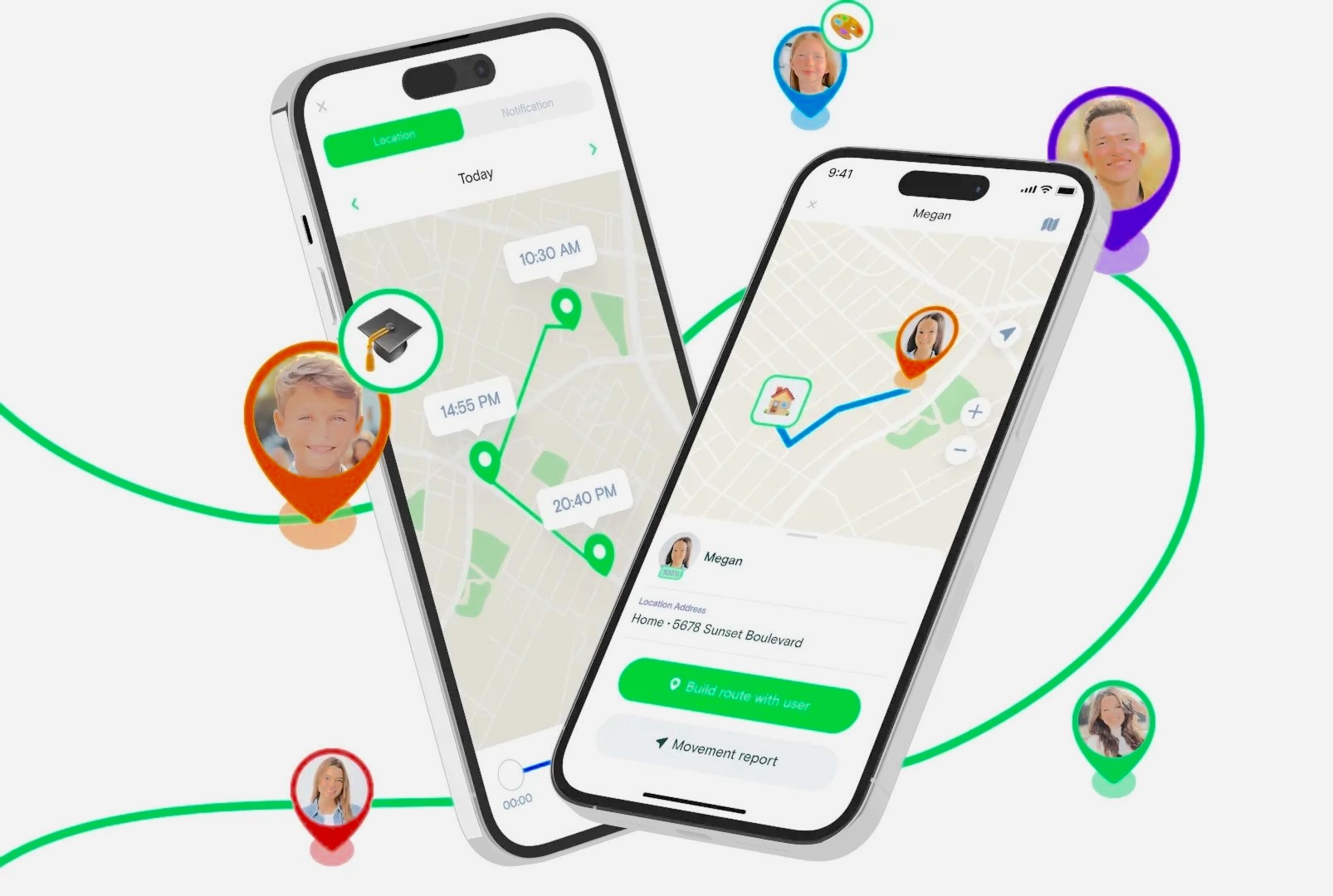
While built-in tools from Apple and Google are convenient, dedicated family tracking apps offer additional features that built-in solutions do not. These typically include location history, more sophisticated geofencing, driving behavior monitoring, and centralized dashboards for managing multiple family members.
MyParental Family Locator
One well-regarded option in this category is MyParental Family Locator, which is designed specifically for families managing parental oversight alongside location tracking.
The app operates with two separate interfaces: a parent-facing app installed on the guardian’s device, and a child-facing app installed on the monitored device. This separation makes it clear to everyone how the system works and who can see what.
How to set it up:
Step 1. Download and install the MyParental parent app on your phone. Create an account during setup.
Step 2. Download the MyParental Kids app on your child’s device. During setup, you will receive a binding code that links the two accounts together. Allow the necessary permissions — location access, primarily — on the child’s device.
Step 3. Back in the parent app, tap the GPS icon at the bottom center of the screen to view your child’s current location.
Step 4. The app displays a real-time map view. You can tap the Refresh button to get the most up-to-date position.
Beyond basic location tracking, MyParental includes location history (so you can see where your child went throughout the day), geofence alerts that notify you when your child enters or leaves designated areas like home or school, and activity reports.
![]()
Method 4: Google Family Link
Google Family Link is a free parental control tool from Google that includes location tracking as one of its core features. It is particularly well-suited for families with younger children because it combines location awareness with screen time management and app controls in a single interface.
With Family Link, parents can:
- See their child’s real-time location on a map
- Set daily screen time limits and app-specific time limits
- Review and approve app downloads from the Google Play Store
- Remotely lock a child’s device at bedtime or any other time
Family Link is available on both Android and iOS, meaning a parent with an iPhone can monitor a child using an Android phone and vice versa.
To get started, download the Family Link app on the parent’s device and the Google Family Link for children & teens app on the child’s device. The setup process walks you through creating a supervised Google account for your child and linking the two devices.
One thing to be aware of: Google Family Link is designed primarily for children under 13. For teenagers, the level of control is more limited — teens must agree to supervision, and they can request to remove supervision themselves. This is actually a thoughtful design choice that encourages families to have open conversations about digital oversight as children grow older.
Method 5: Life360
Life360 is one of the most widely used family location apps in the world, and for good reason. It combines real-time location tracking with a set of practical safety features that go well beyond what built-in phone tools offer.
Key features include:
Location circles. You create a “circle” — essentially a group — for your family. Everyone in the circle can see each other’s locations on a shared map in real time.
Driving safety reports. Life360 automatically detects when a family member is driving and generates reports on speed, phone usage while driving, and hard braking. This is particularly valuable for families with new or teenage drivers.
Crash detection. If the app detects a sudden impact consistent with a vehicle accident, it sends an alert to other circle members and can connect users to emergency services.
Place alerts. Set up geofences for specific locations and receive notifications when family members arrive or leave.
24/7 roadside assistance. Premium plans include access to roadside help for situations like flat tires or dead batteries.
Life360 is available on both iOS and Android, and a free tier provides basic location sharing with a limited number of places and features. Paid plans unlock additional features including location history, ID theft protection, and premium driving reports.
Method 6: Glympse — For Temporary Location Sharing
Not every situation calls for permanent, ongoing location monitoring. Sometimes you just want to let someone know you are on your way, or share your location for the duration of a road trip without setting up a full family tracking system.
Glympse is built specifically for this kind of temporary sharing. It lets you broadcast your real-time location to specific people for a set period of time — anywhere from a few minutes to several hours. When the time expires, the share automatically ends with no further action required.
There is no account required to view a Glympse. The recipient gets a link, opens it in any browser, and sees your location updating in real time on a map. This simplicity makes it especially useful for situations involving people who are not already using the same tracking app as you.
Glympse is free and available on both iOS and Android.
Method 7: GPSWOX Family Locator
GPSWOX Family Locator is a straightforward app designed for real-time family location tracking with geofencing capabilities. It lets you monitor multiple family members simultaneously on a single map and set up alerts for when someone enters or exits designated zones.
The app is particularly useful for families that want a lightweight, no-frills solution focused primarily on location rather than the broader suite of parental controls that apps like Google Family Link or Life360 offer. GPSWOX Family Locator is available on both iOS and Android.
Method 8: Sprint Safe & Found
For families using Sprint (now part of T-Mobile), Sprint Safe & Found offers a carrier-integrated family safety solution. Because it operates at the carrier level, it can provide location data even when standard apps might struggle due to app-level restrictions.
Key features include real-time location tracking, geofencing alerts, and an emergency broadcast function that sends an alert with your precise location to all family members simultaneously. This last feature is particularly notable for emergency preparedness — if something goes wrong, every family member can receive your location with a single action.
Sprint Safe & Found is compatible with both iOS and Android devices.
Comparing Your Options: Which Tool Is Right for Your Family?
With so many options available, choosing the right approach depends on your specific situation. Here is a practical breakdown:
For iPhone-only families: Apple’s built-in Find My app is the most seamless option. It requires no additional downloads, integrates with existing Apple accounts, and offers solid geofencing and notification features. Start here before looking at third-party apps.
For Android-only or mixed families: Google Maps location sharing is the most universal solution. It works on both platforms, requires no extra app, and is easy to set up.
For families with young children who need parental controls: Google Family Link combines location tracking with app management and screen time controls, making it a comprehensive choice for households with kids under 13.
For families with teenage or new drivers: Life360 stands out for its driving behavior monitoring and crash detection features, which go well beyond what any other option in this list provides.
For occasional or temporary sharing: Glympse is ideal when you only need to share your location for a specific trip or event, without committing to ongoing monitoring.
For families wanting dedicated GPS tracking with history: MyParental Family Locator or GPSWOX provide location history and geofencing in a purpose-built interface.
Common Troubleshooting Issues
“Why Can’t I See My Child’s Location on My iPhone?”
This is one of the most common questions from parents using Family Sharing. The most likely causes:
- Location Services are turned off on your child’s phone. Go to Settings → Privacy & Security → Location Services on their device and make sure it is enabled, and that Find My has permission to always access location.
- Location sharing is not enabled in the Find My app. Open Find My on the child’s device, go to the Me tab, and check that Share My Location is turned on.
- Different Apple IDs. Both devices need to be using the correct Apple IDs and linked through Family Sharing.
- The device is offline. If the phone has no internet connection, location data cannot update. Find My will show the last known location with a timestamp.
If none of these fixes work, restarting both devices often resolves lingering sync issues. Apple’s support page for Find My has detailed troubleshooting steps as well.
“Google Maps Location Sharing Is Not Updating”
If a family member’s location appears frozen or out of date on Google Maps:
- Check that the person has an active internet connection.
- Confirm that location sharing has not expired — sharing set to a specific time period will automatically stop.
- Make sure Google Maps has background location permission on their device. On Android: Settings → Apps → Maps → Permissions → Location → Allow all the time.
“The App Is Draining My Child’s Battery”
Continuous GPS usage does consume battery. If battery drain is a concern, many apps allow you to adjust the update frequency — less frequent updates use significantly less power. Built-in tools like Find My are generally optimized better for battery efficiency than third-party apps.
The Emotional Dimension: Trust, Communication, and Family Connection
All of the technology in this guide is genuinely useful, and yet it is worth stepping back to acknowledge something: no app can replace the kind of security that comes from a family where everyone feels safe, heard, and trusted.
Location sharing works best as an extension of an existing relationship of trust, not as a substitute for one. When it is introduced unilaterally, without discussion, it tends to breed resentment — especially in teenagers, who are developmentally wired to assert independence. The technology becomes a symbol of control rather than care.
Contrast that with families where the arrangement is openly discussed: “Here is why I want to be able to see where you are. Here is what I will and won’t do with that information. Here is how you can tell me if you are uncomfortable with any of it.” That conversation changes everything. The same app, in the same situation, becomes an expression of mutual care rather than surveillance.
A few principles that tend to make these conversations go well:
Lead with the reason, not the requirement. Explaining your worry — “I get anxious when you are driving late at night and I haven’t heard from you” — is more effective than issuing a directive. People are more receptive to sharing when they understand the emotional need behind the request.
Acknowledge the trade-off. Privacy matters, even within families. Acknowledging that you understand why someone might find constant tracking uncomfortable, while explaining why you are asking anyway, shows respect.
Build in off-ramps. Agreeing in advance on circumstances where location sharing is paused — a night out with friends, a solo trip — makes the overall arrangement feel less absolute and more proportionate.
Use it as a two-way tool. If you are asking a teenager to share their location, consider sharing yours as well. “We can all see each other” is a fundamentally different dynamic than “I can see you.”
Check in about it regularly. Needs and comfort levels change. What felt reasonable when a child was 13 may need to be renegotiated at 16. Regular, low-stakes conversations about how the arrangement is working prevent grievances from building up.
The American Academy of Pediatrics offers a range of resources for families navigating technology and screen time conversations with children of different ages.
FAQs About Locating Family Members’ Phones
Can I use my phone to find someone else’s phone?
Yes, but only if they have agreed to share their location with you through one of the methods described in this guide. Apps like Find My, Google Maps, Life360, and others require both parties to opt in to location sharing. There is no legitimate tool that lets you locate someone’s phone without their knowledge or consent.
Can Google Family Link track an iPhone?
Yes. Google Family Link works across platforms. A parent using an Android device can monitor a child using an iPhone, and a parent with an iPhone can use Family Link to monitor a child on Android. Both devices need the appropriate Family Link apps installed and the accounts linked.
Is it legal to secretly track a family member’s location?
In most regions, tracking an adult family member’s location without their consent is illegal, regardless of your relationship to them. Even for minor children, covert tracking can create significant trust damage within the family. Most tracking apps require the consent and active participation of the person being monitored as part of their setup process. If you have legitimate safety concerns about a family member, a direct conversation — potentially with the help of a counselor or mediator — is almost always a better first step than covert monitoring.
What if my family member refuses to share their location?
Respect it. Adults and teenagers have a reasonable expectation of privacy, and pushing for location access against someone’s wishes is likely to create conflict rather than resolve safety concerns. Instead, focus on building communication habits — regular check-ins, agreed-upon “I arrived safely” texts — that address the underlying worry without requiring location access.
How accurate is smartphone location tracking?
In most conditions, GPS-based location data is accurate to within about 10–30 feet. Accuracy decreases indoors and in dense urban areas where satellite signals are partially obstructed. Apps that rely on cell tower triangulation rather than GPS are less precise, typically accurate to within a few hundred meters. Most of the apps covered in this guide use GPS where available, which provides reliable accuracy for practical family use.
How much data does location sharing use?
Very little. Location sharing uses a small amount of data to transmit GPS coordinates — typically well under 1 MB per day for standard background tracking. Battery consumption is a more meaningful concern than data usage for most families.
Can I track multiple family members at once?
Yes. All of the apps and tools described in this guide support tracking multiple family members simultaneously. Life360’s circle concept is specifically designed around this use case, and Find My and Google Maps both display multiple people on a single shared map.
What happens when someone’s phone is turned off?
All location tracking relies on the phone having power and a connection. When a phone is turned off or has no internet access, tracking stops. Most apps will display the last known location with a timestamp, which can still be useful information. This is one reason many families combine location tracking with simple communication habits — a quick text when arriving somewhere ensures that lost connectivity does not translate into unnecessary worry.
Final Thoughts
The ability to locate family members through their phones has quietly become one of the most practical and reassuring things smartphone technology offers modern families. The tools available — from Apple’s built-in Find My app and Google Maps to dedicated apps like Life360, Google Family Link, and MyParental — are mature, reliable, and accessible enough that any family can get started without technical expertise.
What matters most, though, is not the tool you choose but the spirit in which you use it. Location sharing, at its best, is an expression of care — a way of saying “I want to know you are safe” that is backed up by a real-time map rather than just a feeling. At its worst, it becomes a source of tension and eroded trust.
The families that tend to get the most out of these tools are the ones who talk about them openly, set up arrangements that feel fair to everyone involved, and remember that the goal is connection, not surveillance. Start there, and the technology will take care of the rest.
For additional reading on family digital safety and communication, the National Online Safety platform offers parent guides covering everything from location apps to social media monitoring.