There’s a particular kind of anxiety that settles in when you send your teenager out for the first time without a curfew check-in, or when an elderly parent who gets confused easily doesn’t answer the phone. You don’t want to be controlling — you just want to know everyone is okay.
That’s exactly the problem that location tracking apps are built to solve.
But here’s the thing: not all tracking apps are created equal. Some are bloated with features you’ll never use. Some quietly sell your data to advertisers. Some drain your phone battery by noon. And some are so complicated that the average person gives up after twenty minutes of setup.
This guide cuts through the noise. We’ve analyzed five of the most widely used tracking apps for iPhone and Android — looking at their real-world features, honest pricing structures, privacy policies, and the practical limitations that most review sites gloss over.
Whether you’re a parent trying to keep tabs on a child’s commute, someone who wants to coordinate with a group of friends, or simply someone looking for a reliable way to share your location on the go, you’ll find a clear recommendation here.
Before we dive in, one important note: location tracking only works — legally and ethically — when the people being tracked know about it and have given their consent. Always check the laws in your region before using any of the apps below. Tracking someone without their knowledge or permission is illegal in most jurisdictions, and no app review should ever encourage that.
![]()
What Makes a Great Tracking App?
Before we get into the individual apps, it helps to know what separates a genuinely useful tracking tool from a mediocre one. Here are the criteria we evaluated each app on:
Real-time accuracy — Does the location update frequently and reliably, or does it lag by 10–15 minutes, which defeats the purpose?
Battery impact — GPS tracking is notoriously heavy on battery consumption. A good app minimizes drain through smart polling intervals.
Privacy and data handling — Who can see your data? Is it encrypted? Does the company sell location information to advertisers or third parties?
Ease of use — Can a non-technical parent or grandparent figure it out without reading a manual?
Cross-platform support — Since families rarely all use the same type of phone, Android-iOS compatibility matters enormously.
Pricing fairness — Is the free version actually useful, or is it a stripped-down teaser that forces you into an expensive plan almost immediately?
Additional safety features — SOS buttons, geofencing alerts, driving behavior monitoring, and similar tools can make the difference between a tracker and a comprehensive safety app.
With those benchmarks in mind, let’s get into the apps.
1. MyParental Family Locator
Best for: Parents who want straightforward, reliable tracking without unnecessary complexity
MyParental Family Locator doesn’t try to be everything to everyone — and that focus is arguably its greatest strength. Designed specifically with families in mind, it does a small number of things very well: it shows you where your family members are in real time, it keeps a trail of where they’ve been, and it alerts you when someone crosses a virtual boundary you’ve set up.
For parents of school-age children, that’s often exactly what they need.
How It Works
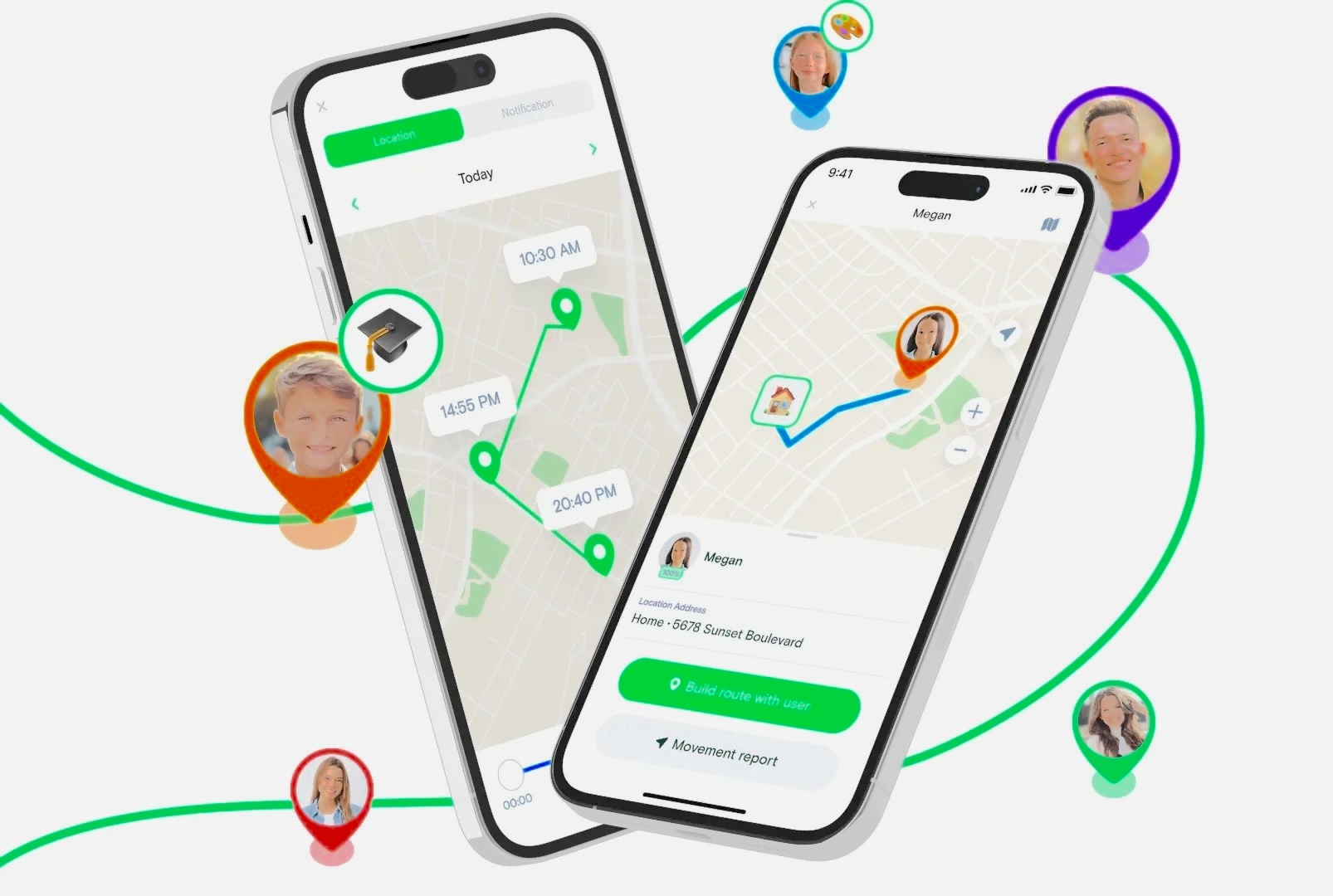
After downloading the app and setting up a family circle, each family member installs the app on their own device and joins the shared group. From that point, their location becomes visible to others in the circle on a shared map. The interface is clean and readable, which matters when you’re glancing at your phone between meetings.
The geofencing feature is particularly well-implemented. You can draw a virtual boundary around any location — your child’s school, a friend’s house, a neighborhood boundary — and receive an automatic push notification whenever that person enters or exits the area. It sounds simple, but in practice it removes a lot of stress. Instead of sending “are you at school yet?” texts every morning, the app just tells you.
Key Features
- Real-time GPS location tracking — The map updates continuously, giving you a live view of where family members are.
- Location history — You can view a timeline of past movements going back up to 30 days. This is useful not just for monitoring, but for retracing steps if someone loses a phone or can’t remember where they parked.
- Geofencing with alerts — Set virtual perimeters around any location and receive instant notifications when a family member arrives or leaves.
- Remote surroundings monitoring — On Android devices, you can remotely listen to or view the environment around a family member’s phone. This is a significant feature that most basic trackers don’t offer, though it’s only available on Android.
- Cross-platform — Works on both iPhone and Android, so it’s useful for mixed-device families.
Pricing
MyParental offers tiered pricing depending on how long you commit:
| Plan | Monthly Cost |
|---|---|
| Monthly | $9.99/month |
| Quarterly | $6.66/month |
| Annual | $4.99/month |
The annual plan works out to about $60 per year, which is reasonable for what you get. There is a free trial available so you can test the features before committing.
Privacy and Security
MyParental uses end-to-end encryption for all location data, meaning the data is scrambled in transit and can only be read by the intended recipients. The company states that it does not share parental or children’s data with third parties, which is a meaningful commitment given how many free apps monetize user data.
Pros
- Clean, simple interface with a low learning curve
- Solid geofencing implementation with reliable push alerts
- 30-day location history is more generous than many competitors
- End-to-end encryption protects sensitive family location data
- Remote surroundings monitoring is a standout feature for parents with younger children (Android)
Cons
- No safe driving features — if you’re hoping to monitor a teen’s driving habits, you’ll need a different app or a separate tool
- Remote surroundings monitoring is limited to Android; iPhone users miss out
- Slightly higher price point than some alternatives, particularly at the monthly rate
Who Should Use It
MyParental Family Locator is ideal for parents of younger children who want a focused, privacy-conscious app without a steep learning curve. It’s not the right choice if driving safety monitoring is a priority, but for straightforward family location management, it’s a strong performer.
2. Life360
Best for: Families who want an all-in-one safety platform with driving monitoring
Life360 markets itself as the number one family tracking app in the world, and while marketing claims should always be taken with a grain of salt, the feature set genuinely does back up a lot of that confidence. It’s one of the most comprehensive location safety platforms available for consumers, particularly for families with teenage drivers.
The app goes well beyond just showing you where someone is. It monitors how fast they’re driving, whether they’re braking hard, and it can send emergency SOS notifications with a single tap. If you’ve ever worried about a new driver, Life360’s driving safety tools are among the best available outside of dedicated telematics devices.
How It Works
Like MyParental, Life360 works through family circles — a shared group where each member’s location is visible on a communal map. The interface is more feature-dense than simpler trackers, which means there’s a slightly steeper learning curve, but most people find their footing within a session or two.
One clever feature is the “Bubble” — a proximity alert that notifies you when a family member is nearby or enters a danger zone. It’s a small touch that adds a layer of situational awareness beyond standard geofencing.
Key Features
- Real-time family location tracking — Live map view for all members of your circle.
- Driving safety monitoring — Tracks speed, hard braking, and phone usage while driving. Parents of teenagers will find this invaluable.
- Instant SOS alerts — Any member can trigger an emergency alert with a single tap, sending their location to all circle members.
- “Bubble” proximity alerts — Get notified when a family member enters a zone you’ve flagged as potentially dangerous.
- Private in-app messaging — Communicate within the app without switching to a separate messaging platform.
- Location history — View past routes and locations for circle members.
- Cross-platform — Available on both Android and iOS.
Pricing
Life360’s pricing is on the higher end of the market:
| Plan | Monthly Cost |
|---|---|
| Silver | $14.99/month |
| Gold | $24.99/month |
| Free (limited) | $0 |
The free tier is functional enough for basic location sharing but strips out many of the driving safety features and limits location history. For families who want the full feature set, the Silver plan is the entry point, which makes Life360 one of the more expensive options in this category.
For an in-depth breakdown of what each tier includes, Life360’s official pricing page provides a feature comparison.
Privacy and Security
Life360 encrypts all user data and states that location information is not shared with third parties. However, the company has faced scrutiny in the past over its data practices — in particular, a 2021 investigation by The Markup found that the company had been selling precise location data to data brokers. Life360 subsequently announced it would stop selling location data to third parties. It’s worth reading their current privacy policy directly before committing, as data practices can evolve.
Pros
- The most comprehensive feature set of any app in this list
- Driving safety tools are excellent for families with teen drivers
- Emergency SOS functionality is fast and easy to use
- Well-designed app with a polished user interface
- Huge user base means bugs tend to get identified and fixed quickly
Cons
- The most expensive option on this list by a significant margin
- Past data-sharing controversy warrants a close reading of current privacy policies
- Feature density can feel overwhelming for users who just want basic tracking
- Battery consumption can be significant on devices running the full feature suite
Who Should Use It
Life360 is the best choice for families where driving safety monitoring is a top priority, or for those who want a single app that handles emergency alerts, geofencing, real-time tracking, and communication all in one place. Just be prepared for the price — and take a few minutes to read their current privacy policy.
![]()
3. FindMyPhone – Family Locator
Best for: Users who want a simple, affordable tracker with a 7-day free trial
FindMyPhone – Family Locator takes a slightly different angle from the more family-focused apps above. While it absolutely functions as a family tracker, it also positions itself as a tool for locating lost or stolen devices — a practical double duty that many users appreciate.
The app is straightforward and intentionally uncluttered. If you’ve ever been frustrated by bloated apps with features you don’t need, FindMyPhone’s leaner approach will feel refreshing.
How It Works
Setup follows the same model as the other apps: install, create a group, and each member joins. The shared map view displays everyone’s real-time location. The UI is clean and approachable, which makes it easier to set up for less tech-savvy family members — an often-overlooked factor when you’re trying to get an elderly parent or a young teenager onto the platform.
The ability to track a lost or stolen phone is a useful addition. While Apple’s native Find My and Google’s Find My Device cover similar ground for single-device scenarios, FindMyPhone integrates this with the broader family tracking interface.
Key Features
- Real-time location tracking — Live GPS view across all group members.
- Geofencing — Set up entry/exit notifications for specific locations.
- 7-day location history — More limited than MyParental’s 30-day history, but sufficient for most families.
- SOS emergency alerts — Send instant distress notifications to selected contacts.
- Lost device tracking — Locate a missing phone even if it’s separated from its owner.
- Private chat — In-app messaging between group members.
- Cross-platform — Available for both Android and iOS.
Pricing
| Plan | Cost |
|---|---|
| Weekly | $4.99/week |
| Monthly | $9.99/month |
| Annual | $49.99/year |
All paid plans come with a 7-day free trial, and there’s a limited free version for those who want to explore basic functionality before committing. The annual plan at roughly $50 per year is one of the more affordable full-feature options in this category.
Privacy and Security
This is the one area where FindMyPhone – Family Locator warrants real caution. The app’s privacy policy clearly states that user data may be shared with third-party apps for advertising purposes. Payment and card information is kept separate, but location data — which is particularly sensitive — could be shared. For families tracking children or managing sensitive whereabouts, this is a meaningful limitation that deserves careful consideration.
If data privacy is a top priority for your household, one of the other options on this list would serve you better.
Pros
- User-friendly interface with a short setup time
- Affordable annual pricing
- 7-day free trial lets you test the app thoroughly before paying
- Doubles as a lost device locator
- Emergency SOS functionality is simple and effective
Cons
- Location data may be shared with advertisers — a significant privacy concern
- 7-day location history is less robust than competitors
- Runs in the background, which increases battery drain
- No driving safety features
Who Should Use It
FindMyPhone – Family Locator is a reasonable choice for individuals or families on a tighter budget who need basic tracking features and aren’t highly concerned about data privacy. Its lost-device functionality adds value beyond pure family tracking. However, if you’re tracking children or sensitive locations, the third-party data sharing policy is a red flag that’s hard to overlook.
4. Google Maps
Best for: Casual, occasional location sharing with no ongoing cost
It might seem like a stretch to include Google Maps in a list of dedicated tracking apps — and in truth, it is not a purpose-built family tracker. But for millions of people, it’s the first thing they reach for when they need to share their location, and for good reason: it’s free, it’s already on most phones, and it requires no extra accounts or subscriptions.
For occasional use — meeting a friend in an unfamiliar area, letting a spouse know you’re stuck in traffic, or sharing your ETA with someone waiting at home — Google Maps handles location sharing admirably. Where it falls short is in the features that make dedicated trackers so valuable: persistent family circles, geofencing, SOS alerts, location history dashboards, and driving monitoring are all absent.
How It Works
Location sharing in Google Maps is activated through the app’s menu. You can choose to share your live location with a specific contact for a set time period (such as one hour or until you turn it off manually), or indefinitely. The recipient sees your moving pin on their Google Maps. You can also see their location if they share back. Google’s support page walks through the full process.
Key Features
- Live location sharing — Share your moving GPS location with specific contacts in real time.
- Navigation integration — Seamlessly switches between location sharing and turn-by-turn navigation.
- Traffic and transit updates — Real-time updates on road conditions and public transport delays.
- Location history — Google keeps a personal timeline of your movements (for your own reference, visible only to you) if you have this setting enabled.
- Cross-platform — Available on both Android and iOS, and viewable through a web browser.
Pricing
Google Maps is entirely free.
Privacy and Security
Google Maps uses encryption and states that location information is not shared with third parties in the context of location sharing. That said, Google’s broader data practices involve significant data collection for advertising purposes across its ecosystem — Maps location data can inform ad targeting, even if your shared location is kept private from other users. This is worth understanding before treating Google Maps as a “private” solution.
Pros
- Completely free
- Already installed on most smartphones — no extra downloads or accounts needed
- Excellent navigation functionality built in
- Works reliably across platforms
- Simple enough for almost anyone to use
Cons
- No dedicated family tracking features — no geofencing, SOS, or persistent circles
- Location can fail to update if connectivity is interrupted
- Not designed for ongoing family safety monitoring
- Google’s broader data practices involve significant data collection
- Low rating on Google Play (3.6 stars) reflects frustration with its general navigation features, not specifically its tracking functionality
Who Should Use It
Google Maps is the right tool when you want a quick, free, no-commitment way to share your location in the moment. It’s not a replacement for a dedicated tracking app if ongoing family safety monitoring is the goal. Think of it as the solution for Tuesday afternoon, not a long-term family safety infrastructure.
5. Glympse
Best for: Temporary location sharing without requiring the recipient to install an app
Glympse takes a fundamentally different approach to location sharing, and it’s an approach that solves a specific and common problem: sometimes you just want to share where you are right now, with someone who doesn’t have a tracking app installed, without committing to ongoing monitoring in either direction.
The standout feature is that recipients don’t need the Glympse app to see your location. You send a link — via text, email, WhatsApp, or any messaging platform — and they can open it in a browser and watch your live location on a map. The share automatically expires at the time you’ve set.
How It Works
Open the app, set a time duration for how long you want to share (10 minutes, an hour, until you end it manually), then select how and with whom you want to share. You can share with a single person, a named group, a team, or a community via a public tag. When the timer runs out, the share expires automatically. No one has access after that — which is a meaningful privacy protection.
This makes Glympse particularly well-suited for scenarios like letting someone know when you’re leaving the office, sharing your location with a food delivery driver, or broadcasting your position during a group outdoor activity.
The app is available in over 160 countries and has built a reputation for reliability in both consumer and enterprise contexts. For more on how businesses use Glympse for fleet and delivery tracking, their official site has additional context.
Key Features
- Time-limited location sharing — Set an expiry time; sharing stops automatically.
- No app required for recipients — Share via a link that opens in any web browser.
- Multiple sharing methods — SMS, email, social platforms, or in-app.
- Group and community sharing — Broadcast your location to named groups or communities at once.
- Public tags — Create a custom hashtag that lets others find your location on a shared public map.
- Favorite lists — Save groups of contacts for quick sharing without re-selecting every time.
- Background location sharing — Continues to share even when the app isn’t in the foreground.
- Cross-platform — Available on Android and iOS.
Pricing
| Plan | Cost |
|---|---|
| Paid plans from | $9.99/month |
| Free version | Available (limited features) |
The free version supports basic time-limited sharing, which is sufficient for casual personal use. Paid plans unlock features more relevant to business and power users.
Privacy and Security
Glympse encrypts all user data and is explicit about not sharing location data with third parties. The app also clearly states exactly what data it collects and for what purposes — a level of transparency that’s more than many competitors offer. And because sharing is inherently time-limited, there’s no persistent data trail being generated in the background.
Pros
- Time-limited sharing is a genuinely privacy-forward design choice
- Recipients don’t need to install anything — dramatically lowers the barrier to use
- Transparent about data collection practices
- Works in over 160 countries — reliable for international travel
- Multiple sharing methods cover most real-world scenarios
- No permanent tracking — good for people who value their privacy
Cons
- Location updates can take a moment to refresh — slightly slower than dedicated always-on trackers
- Not designed for continuous family monitoring or parental safety features
- Free tier has meaningful feature limitations
- App Store ratings, while good (4.8 stars), reflect a somewhat different use case than ongoing family tracking
Who Should Use It
Glympse is perfect for people who want to share their location temporarily and conveniently, without requiring others to install an app or maintain a circle. It’s not the right tool for parents who need ongoing visibility into where their children are — but for everything else, its simplicity and privacy-first design make it stand out.
Side-by-Side Comparison
| Feature | MyParental | Life360 | FindMyPhone | Google Maps | Glympse |
|---|---|---|---|---|---|
| Real-time tracking | ✅ | ✅ | ✅ | ✅ | ✅ |
| Geofencing | ✅ | ✅ | ✅ | ❌ | ❌ |
| Location history | 30 days | ✅ | 7 days | Personal only | ❌ |
| SOS alerts | ❌ | ✅ | ✅ | ❌ | ❌ |
| Driving monitoring | ❌ | ✅ | ❌ | ❌ | ❌ |
| App required for recipient | ✅ | ✅ | ✅ | ✅ | ❌ |
| Cross-platform | ✅ | ✅ | ✅ | ✅ | ✅ |
| Third-party data sharing | No | No* | Yes | Indirect | No |
| Starting price | $4.99/mo | Free | Free | Free | Free |
| Best for | Families | Families + drivers | Budget users | Casual sharing | Temporary sharing |
*Life360 previously shared data with third parties; current policy states this has stopped.
Privacy: The Question Nobody Asks Enough
One theme that runs through every app review above deserves its own dedicated section, because location data is not like other data.
Knowing where someone is — where they sleep, where they work, which medical offices they visit, what religious institutions they attend, how often they visit a particular address — is extraordinarily personal information. The sensitivity of location data is why privacy laws in many countries treat it as a special category, and why it’s worth spending time on each app’s privacy policy before you install anything.
Here are the questions to ask before committing to any tracking app:
Does the app encrypt data in transit and at rest? End-to-end encryption means that even if data is intercepted during transmission, it can’t be read without the correct decryption keys.
Does the company sell or share location data with third parties? Some free apps — including FindMyPhone by its own admission — generate revenue by sharing user data with advertisers or data brokers. This is a significant trade-off that’s often buried in the fine print.
What happens to your data if you delete the account? A good privacy policy specifies a clear deletion timeline.
Who can access your location within the app? Make sure you understand the consent and visibility model — particularly important if children are involved.
For families tracking minors, the Children’s Online Privacy Protection Act (COPPA) in the US and equivalent laws in other regions set specific requirements for how children’s data must be handled.
Battery Life: The Practical Problem
Every tracking app on this list comes with a trade-off: GPS tracking consumes battery. This is a basic technical reality that can’t be fully engineered away — though some apps handle it better than others.
Most apps use one of a few strategies to manage battery drain:
Continuous GPS polling produces the most accurate real-time location but chews through battery fastest. Life360’s most precise tracking mode falls into this category.
Network-assisted location combines GPS with Wi-Fi and cell tower signals to produce a location estimate using less battery, though accuracy can suffer.
Smart polling reduces how often the app checks location when the device hasn’t moved — saving battery during stationary periods.
If battery life is a concern, go into your phone’s settings and limit background activity for your tracking app. Both Android and iOS allow you to control which apps can access location in the background — you can often restrict it to “only while using the app,” which dramatically reduces drain at the cost of less frequent updates when the app isn’t open.
Legal and Ethical Considerations
This bears repeating clearly: tracking another person’s location without their knowledge and consent is illegal in most jurisdictions worldwide. This applies even in parent-child relationships once a child reaches adulthood (typically 18 in most countries, though this varies).
For younger children, consent is generally implied under parental authority — but it’s still good practice to have an honest conversation with your child about the fact that you can see where they are. Transparency tends to produce better behavior and more trust than secret surveillance.
For tracking adults — a spouse, elderly parent, or friend — explicit, informed consent is not optional. It’s both legally and ethically required.
Some jurisdictions have specific laws around electronic surveillance, location tracking, and stalkerware that go beyond general consent requirements. If you’re unsure about the laws in your region, consulting a local legal professional before installing any tracking app is advisable.
Resources worth reading:
- Electronic Frontier Foundation’s guide to surveillance self-defense
- The FTC’s guidance on mobile security and privacy
Which App Is Right for You?
Every situation is different, so here’s a practical guide based on common use cases:
You’re a parent tracking school-age children: MyParental Family Locator offers a focused, privacy-conscious feature set at a reasonable price. The 30-day location history and geofencing are well-suited to the school run and after-school activities.
You have a teenager who drives: Life360 is the clear recommendation. Its driving safety monitoring — speed alerts, hard braking detection — goes beyond what any other app on this list offers in that area.
You’re on a tight budget: Google Maps is free and handles casual location sharing well. If you need more features on a budget, FindMyPhone’s annual plan at $49.99/year is affordable — just be comfortable with the privacy trade-offs.
You want to share your location just for a specific occasion: Glympse is built exactly for this. Set a time limit, share a link, and it handles everything without requiring anyone to install an app.
Privacy is your top priority: MyParental and Glympse are the strongest performers here. Both use encryption and neither shares data with third parties. Glympse’s time-limited model means less persistent data is being generated in the first place.
You need something that works across iPhone and Android: All five apps on this list are cross-platform, so you have full flexibility.
Final Thoughts
Location tracking apps have become a genuinely useful part of modern family safety infrastructure — but they work best when they’re used as tools for communication and peace of mind, not surveillance. The best tracking relationships are the transparent ones, where everyone knows the app is there and understands its purpose.
Of the five apps reviewed here, Life360 offers the most comprehensive feature set for families who need everything in one place, including driving monitoring. MyParental Family Locator is the strongest choice for parents of younger children who prioritize privacy and simplicity. Glympse stands alone in its category for temporary, no-app-required sharing. Google Maps remains the go-to for free, occasional use. And FindMyPhone deserves consideration for budget-conscious users who can accept its data-sharing trade-offs.
Take the time to test a free tier or trial before committing to a paid plan — most of these apps offer that option, and it’s the best way to find out whether the interface and features actually work for your household before you invest.
Frequently Asked Questions
Do location tracking apps consume a lot of battery?
Yes, background GPS tracking is one of the more battery-intensive activities a smartphone performs. Apps like Life360 and FindMyPhone are known to be particularly demanding when running continuously in the background. To reduce drain, limit background location access for tracking apps via your phone’s settings. Using “while app is in use” mode rather than “always” saves considerable battery, though at the cost of less frequent background updates.
Are these apps available on both iPhone and Android?
Yes, all five apps reviewed here — MyParental, Life360, FindMyPhone, Google Maps, and Glympse — are available on both iOS (iPhone) and Android. Some features, such as MyParental’s surroundings monitoring, are only available on Android.
Can I use these apps to monitor driving behavior?
Among the apps on this list, only Life360 offers dedicated driving safety monitoring, including speed alerts and hard-braking detection. If monitoring teen drivers is a priority, Life360 is the only app here that covers it meaningfully.
Is it legal to track someone using these apps?
It depends on your jurisdiction and who you’re tracking. For minor children, parents generally have the legal authority to track location, though laws vary by country. For adults — including adult children, spouses, or friends — explicit informed consent is legally required in most places. Tracking someone without their knowledge is considered illegal surveillance in the majority of jurisdictions worldwide.
What privacy measures do these apps use?
Most apps — including MyParental, Life360, and Glympse — use encryption to protect location data in transit and do not share location information with third parties. FindMyPhone is an exception, explicitly stating that data may be shared for advertising purposes. Google Maps uses encryption but Google’s broader data practices involve use of location data for advertising targeting across its ecosystem. Always read each app’s current privacy policy before installing, as these policies can and do change.
Can I track someone if they don’t have the app installed?
With most apps — including MyParental, Life360, and FindMyPhone — both parties need to have the app installed and consent to be tracked. Glympse is the notable exception: recipients receive a shareable link they can open in any web browser without installing anything.
What should I do if I think a tracking app is being used on my device without my consent?
If you suspect unauthorized tracking software has been installed on your phone, start by checking your installed apps for anything unfamiliar. For more detailed guidance, the Coalition Against Stalkerware provides resources specifically for people concerned about unwanted device monitoring. On iPhone, check Settings > Privacy & Security > Location Services for any apps with unusual permissions. On Android, review battery usage stats for unfamiliar apps consuming significant background power.
Always ensure that the use of any location tracking app complies with applicable laws in your region. Obtain informed consent from those you intend to track. If you encounter any legal or privacy issues, stop using the app and seek professional advice.