

It starts with a small, nagging question. Someone you know — maybe an ex, maybe an old colleague, maybe a family member you’ve grown distant from — seems to be watching what you’re doing on WhatsApp. They respond too quickly to your status updates. They message you right after you come online. They seem to know things about your profile that they could only know if they were checking it regularly.
You want to know: can you actually see who’s been looking at your WhatsApp profile?
This question gets asked constantly. On Reddit, on Quora, in Facebook groups dedicated to WhatsApp tips — users search for ways to confirm what they already suspect. And every time the question gets asked, the same ecosystem of dubious third-party apps and misleading guides surfaces to offer a confident “yes, here’s how.”
This guide gives you the honest answer that those guides don’t. WhatsApp does not provide a native feature to see who has viewed your profile — and that’s not a bug or an oversight, it’s a deliberate design decision rooted in the platform’s privacy architecture. It also means that any app, tool, or browser extension claiming to show you profile visitors is either misrepresenting what it does, pulling random data that has nothing to do with actual viewers, or — in the worst cases — using the promise of profile tracking to harvest your WhatsApp credentials and account data.
Rather than sending you toward tools that don’t work and could compromise your account, this guide focuses on what you actually can know through WhatsApp’s legitimate features, how to use those signals intelligently, how to configure your privacy settings so that profile-viewing by unwanted contacts becomes less of a concern, and what parents should understand about monitoring their children’s WhatsApp activity through tools that actually function.
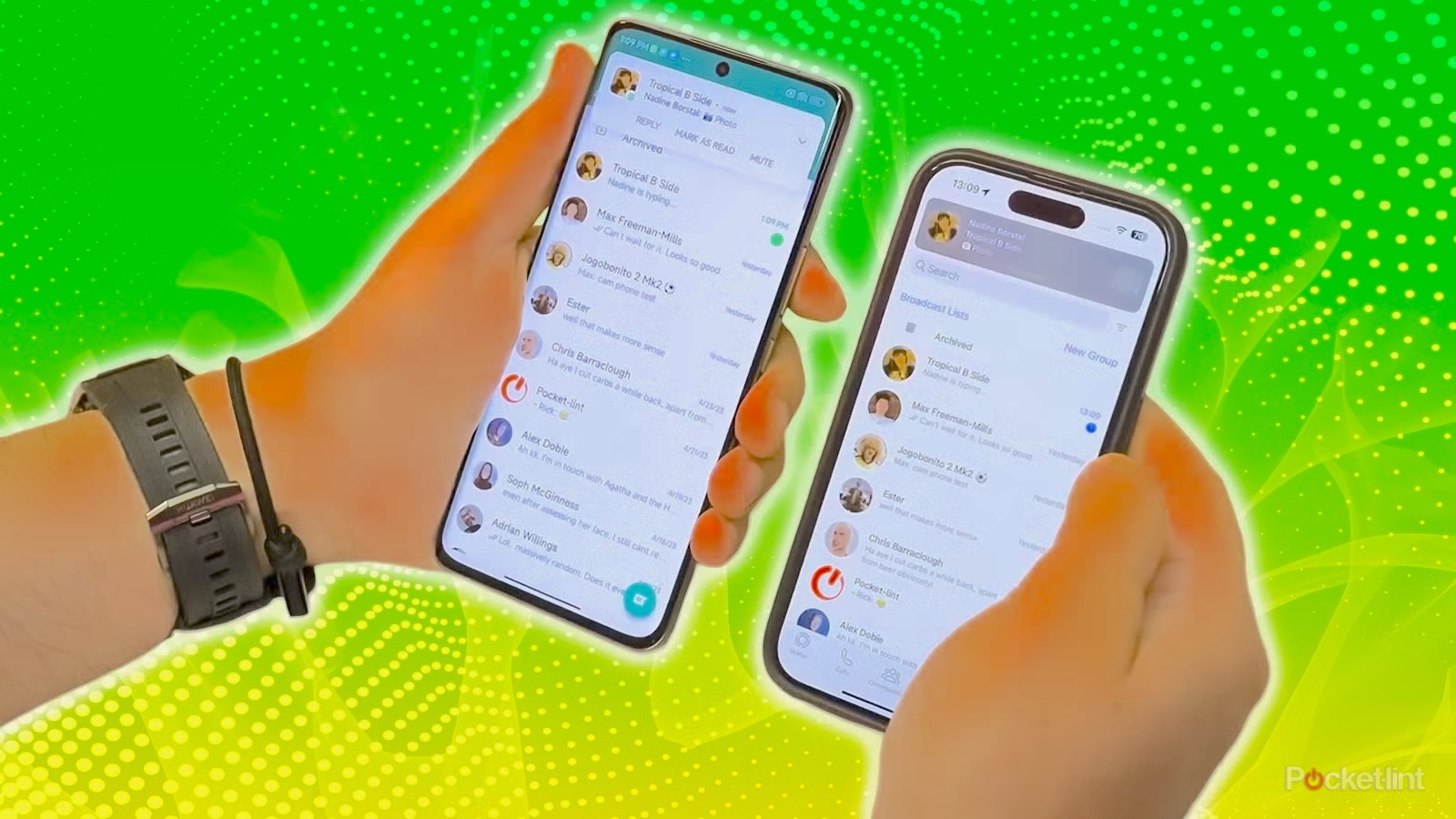
WhatsApp’s Official Position: There Is No Profile Viewer Feature
Let’s begin with absolute clarity: WhatsApp has never included a feature that shows users who has viewed their profile. This isn’t a premium feature locked behind a subscription. It isn’t hidden in settings that most users don’t find. It simply doesn’t exist in WhatsApp’s feature set — not in the standard app, not in WhatsApp Business, and not through any officially supported integration.
Why WhatsApp Made This Design Choice
This absence is intentional, and understanding why helps clarify why third-party solutions can’t fill the gap.
WhatsApp’s privacy architecture is built around minimizing what one user knows about another’s behavior. The platform’s end-to-end encryption protects message content from interception — but WhatsApp’s privacy philosophy extends beyond just message content to the metadata of how users interact with the platform. Who views your profile when, how often, and for how long is behavioral data that WhatsApp has chosen not to expose to other users.
WhatsApp’s API does not expose profile view data to third parties. Even if a developer wanted to build a legitimate profile viewer tracking tool, they couldn’t — WhatsApp’s developer API (the interface through which approved third-party apps interact with WhatsApp) doesn’t include endpoints for accessing who has viewed a specific profile. This isn’t an oversight. WhatsApp has deliberately excluded this data from what’s accessible through official channels.
The European Union’s Digital Markets Act (DMA) and WhatsApp’s interoperability plans. WhatsApp has been implementing changes to comply with the EU’s Digital Markets Act, which requires large messaging platforms to become interoperable with other messaging services. This significant privacy and infrastructure change does not include any indication that profile viewer tracking will be introduced. WhatsApp’s public communications on its privacy roadmap don’t mention this feature.
LinkedIn is the exception that proves the rule. LinkedIn notifies users when someone views their profile — but LinkedIn is a professional networking platform specifically designed to facilitate mutual visibility between professionals. WhatsApp is a private messaging app. The different purposes produce different features, and applying LinkedIn’s norms to WhatsApp misunderstands what WhatsApp is designed for.
What WhatsApp Actually Records vs. What It Shares With You
WhatsApp does collect some metadata about user interactions. According to WhatsApp’s Privacy Policy, the company collects information including:
- Account registration information (phone number, name, profile photo)
- Device and connection information
- Usage logs and timestamps
- Information about contacts and communication patterns
This metadata exists, but it is not shared with users as profile viewer information. It is used for service operation, safety enforcement, and in aggregated form for product development. The fact that WhatsApp collects metadata doesn’t mean users can access that metadata in the form of a “who viewed my profile” list — those are completely different things.
What You Can Actually Know: WhatsApp’s Legitimate Visibility Features
While profile viewer information isn’t available, WhatsApp does provide several legitimate signals that can give you some insight into who is paying attention to your account. Understanding these features clearly — what they show and what they don’t — helps you use them effectively without overinterpreting them.
1. WhatsApp Status Viewers
This is the closest legitimate equivalent to “who viewed my profile” that WhatsApp actually offers. When you post a WhatsApp Status update (a photo, video, or text that disappears after 24 hours, similar to Instagram Stories), WhatsApp shows you exactly who has viewed that update.
How to access your Status viewers:
Step 1: Open WhatsApp and tap the Status tab (second tab at the top of the main screen).
Step 2: Under “My Status,” find the status update you’ve posted. Tap on it to view it.
Step 3: While viewing your own status, swipe upward on the screen. A viewer list appears showing the name and profile photo of everyone who has viewed that update.
Step 4: The list shows everyone who viewed during the 24-hour active period. After 24 hours, when the status expires, the viewer list is no longer accessible.
What this tells you: You know exactly who has seen that specific status update. This is the only WhatsApp feature that gives you named, confirmed viewer information.
What this doesn’t tell you: Viewing a status is one action. It doesn’t confirm that someone visited your main profile page, browsed your profile photo, read your bio, or checked your about section. Someone could view your status without ever opening your profile separately, and someone could visit your profile without viewing your status (if they’re not part of your status audience or if the status has expired).
The indirect inference: If someone consistently appears among the first viewers of every status you post — particularly if they’re viewing within minutes of you posting — that behavioral pattern suggests they’re actively monitoring your account activity. It’s not proof of profile viewing, but it’s a meaningful signal worth noting.
Important note about read receipts: If someone has disabled read receipts in their WhatsApp privacy settings, their views of your status updates won’t be recorded. You’ll see a count of views that doesn’t match the number of named viewers — some views are anonymous because the viewer has opted out of the receipt system.
2. Online Status and Last Seen as Indirect Signals
While you can’t see who viewed your profile, you can sometimes infer who might be monitoring your online activity through patterns in their online status and messaging behavior.
Pattern recognition: If someone consistently comes online immediately after you do, messages you within seconds of your appearing online, or demonstrates awareness of your activity that they could only have through active monitoring, these behavioral patterns suggest they’re watching your last seen or online status.
Privacy note: These behavioral inferences only work if the other person’s “last seen” and “online” status are visible to you — which depends on their own privacy settings. Many users restrict this information, which appropriately prevents this kind of behavioral inference.
The limits of this inference: Coming online at the same time as someone else is often coincidental. People have routines, and if you both check WhatsApp in the morning or before bed, you’ll frequently appear online together. Don’t read too much significance into occasional timing alignment — sustained, consistent patterns that seem too precise to be coincidental are the signal worth noting.
3. Read Receipts as Activity Confirmation
When you send someone a message, WhatsApp’s blue double-tick (✓✓) system tells you they’ve read it. This confirms recent app activity — they opened WhatsApp and read your message — but it says nothing about profile viewing specifically.
What you can infer: if someone has read your messages quickly and consistently but hasn’t engaged with your status updates, or if the read patterns seem inconsistent with what you know about their schedule, these observations can inform your broader understanding of how they’re using WhatsApp. But none of this constitutes profile viewer information.
4. Accidental Calls: An Occasional Accidental Signal
WhatsApp’s profile screen places the voice call and video call buttons prominently at the top of the interface. When someone is scrolling through your profile — looking at your photo, reading your about section — it’s relatively easy to accidentally tap the call button.
If you receive an unexpected, brief call from someone that cuts off almost immediately (they hang up as soon as the call connects, sometimes without speaking), it may indicate they were browsing your profile and accidentally triggered a call. This is an anecdotal signal and not a reliable detection method, but it explains why WhatsApp’s profile UI sometimes produces accidental calls from contacts who are otherwise not trying to reach you.
Third-Party Profile Viewer Trackers: Why They Don’t Work and What They Actually Do
The ecosystem of apps claiming to show you who viewed your WhatsApp profile is large, persistent, and almost entirely deceptive. Understanding why these tools can’t work as advertised — and what they’re actually doing when you install or use them — is essential for protecting your account.
Why These Tools Cannot Work
The fundamental reason is technical and simple: WhatsApp’s API does not provide access to profile view data.
Third-party apps that interact with WhatsApp do so through WhatsApp’s approved developer API. That API has defined limits on what data it exposes. Profile view data — who looked at your profile, when, and how many times — is not included in what WhatsApp’s API makes available. Period.
No legitimate third-party developer can access this information because WhatsApp doesn’t provide the data access that would make such a tool possible. Any app claiming to show you profile viewers is either:
- Making up data — displaying random contacts from your phonebook and presenting them as “people who viewed your profile” (this is the most common approach in deceptive apps)
- Accessing data unrelated to profile viewing — showing you things like who has recently changed their profile photo or who has been active on WhatsApp, and misrepresenting this as profile viewing data
- Using your account access for something else entirely — harvesting your credentials, contacts, or account data for purposes that have nothing to do with profile tracking
The Real Risks of Installing These Apps
In our testing and in cybersecurity research from organizations like Kaspersky, these tools demonstrate consistent risk patterns:
Credential harvesting: Many “WhatsApp profile viewer” tools require you to log into your WhatsApp account through their interface. This is a credential phishing technique — you’re handing your phone number and verification to an entity that doesn’t have legitimate WhatsApp API access.
Contact data theft: Most of these apps request access to your contacts list. Your contacts’ phone numbers are personal data belonging to those people. Granting a shady third-party app access to your contacts means that data is now in their hands.
Message content exposure: Some tools claim to need access to your messages to function. Granting this permission means your private conversations are potentially accessible to the app’s operators.
Malware installation: Apps downloaded outside official app stores (Google Play and Apple App Store) may contain malicious code. Documented cases include apps that modified device settings, changed users’ profile photos, or installed additional software without consent.
Account suspension: WhatsApp’s Terms of Service explicitly prohibit the use of unauthorized third-party tools to access or modify WhatsApp functionality. WhatsApp actively detects accounts using unauthorized third-party access and issues bans — initially temporary, but potentially permanent. You can review WhatsApp’s FAQ on unauthorized apps directly.
GDPR and data protection violations: Many of these tools operate outside legal frameworks for data protection. Using them may expose you to having your data processed in ways that violate EU GDPR protections, and may constitute illegal processing of your contacts’ data.
A Simple Test for Evaluating Any “Profile Viewer” Tool
Before engaging with any app or service claiming to show WhatsApp profile viewers, ask: How would this tool access data that WhatsApp doesn’t share through its official API?
There is no legitimate answer to this question. Any tool that can’t provide a technically coherent explanation for how it accesses data that WhatsApp doesn’t make available is either lying about what it does or accessing data through unauthorized means that violate WhatsApp’s terms.
Save your account, your contacts’ data, and your phone from the risks by skipping these tools entirely.

How to Configure WhatsApp Privacy Settings for Maximum Protection
Rather than trying to track who’s viewing your profile, the more productive response to concerns about unwanted attention is configuring your privacy settings so that unknown or unwanted contacts can see less — making profile stalking less rewarding and less informative for whoever might be doing it.
Accessing WhatsApp Privacy Settings
Step 1: Open WhatsApp on your device.
Step 2: Tap the three-dot menu (⋮) in the top-right corner (Android) or go to Settings (iPhone).
Step 3: Select “Privacy.” This opens the main privacy control panel where all visibility settings are managed.
Setting 1: Control Who Sees Your Last Seen and Online Status
Your “Last Seen” timestamp and “Online” status are among the most informative signals about your activity patterns. Someone monitoring your activity can use these to build a picture of when you use WhatsApp.
Step 1: In Privacy settings, tap “Last Seen and Online.”
Step 2: For “Last Seen,” choose from:
- Everyone — any WhatsApp user can see when you were last active
- My Contacts — only your saved contacts can see your last seen
- My Contacts Except… — your contacts minus specific people you exclude
- Nobody — no one can see your last seen timestamp
Step 3: For “Online,” choose who can see when you’re actively using WhatsApp in real time.
The trade-off: If you set Last Seen to “Nobody,” you also lose the ability to see others’ Last Seen timestamps. WhatsApp applies this as a mutual restriction — you can’t hide your status from others while seeing theirs.
Recommended for privacy concerns: Set to “My Contacts” at minimum. If you have specific concerns about someone monitoring your activity, “Nobody” provides the most complete protection.
Setting 2: Control Who Sees Your Profile Photo
Your profile photo is one of the first things someone sees when they open your profile. Restricting who can see it doesn’t make your profile invisible, but it prevents strangers and unknown numbers from associating your face with your WhatsApp number.
Step 1: In Privacy settings, tap “Profile Photo.”
Step 2: Choose from Everyone, My Contacts, My Contacts Except…, or Nobody.
Recommended: At minimum, set to “My Contacts.” If you’re concerned about a specific person who is already in your contacts seeing your photo, use “My Contacts Except…” to exclude them individually.
Setting 3: Control Your About Section Visibility
Your “About” (bio/status text) is visible to anyone who opens your profile if it’s set to public.
Step 1: In Privacy settings, tap “About.”
Step 2: Select your preferred visibility level from the same options: Everyone, My Contacts, My Contacts Except, or Nobody.
Setting 4: Control Who Sees Your Status Updates
This is particularly important in the context of profile viewer tracking — since Status is the only feature that shows you a viewer list, restricting who can see your status directly affects the information you can infer about who’s monitoring your account.
Step 1: In Privacy settings, tap “Status.”
Step 2: Choose your audience:
- My Contacts — all your saved contacts can see your status
- My Contacts Except… — all contacts except specific people
- Only Share With… — only the contacts you specifically select
The strategic consideration: If you’re posting Status updates and want to understand who’s actively monitoring your profile activity, keeping your Status visible to a broader audience gives you a larger viewer list to analyze. If you want to reduce who can monitor your WhatsApp activity, restricting Status to a smaller audience limits that visibility.
Setting 5: Manage Who Can Add You to Groups
One common form of unwanted contact on WhatsApp involves being added to groups by people you don’t know or have blocked. WhatsApp allows you to restrict this.
Step 1: In Privacy settings, tap “Groups.”
Step 2: Choose:
- Everyone — anyone can add you to groups
- My Contacts — only your saved contacts can add you
- My Contacts Except… — contacts with specific exclusions
- Nobody — no one can add you directly; they must send an invitation you accept
Recommended for unwanted contact concerns: “My Contacts” or “Nobody” provides the strongest protection against being added to groups by unknown numbers.
Setting 6: Manage Blocked Contacts
If there is a specific person whose profile viewing or monitoring concerns you, blocking them is the most direct action available.
How to block a contact:
Option 1 (from a chat): Open a chat with the person → tap their name → scroll down to “Block” → confirm.
Option 2 (from Privacy settings): Privacy → Blocked Contacts → tap the “+” to add a new blocked contact → select from your contacts or enter a number.
What blocking does: The blocked person can no longer see your profile photo (they’ll see a generic silhouette), can no longer see your Last Seen or Online status, cannot call you through WhatsApp, and any messages they send won’t be delivered to you. They won’t receive a notification that they’ve been blocked — your chat will simply show no delivery ticks from their side.
Setting 7: Control Read Receipts
Read receipts (the blue ticks that tell someone you’ve read their message) work both ways. Turning them off prevents others from knowing when you’ve read their messages — but it also means you lose the ability to see when others have read your messages.
In Privacy settings: Toggle “Read Receipts” off to disable them for regular chats. Note: read receipts in group chats cannot be disabled — they remain active regardless of this setting.
Recognizing Signs Someone May Be Monitoring Your WhatsApp Activity
While you can’t confirm profile viewing through WhatsApp itself, certain behavioral patterns across your broader interactions with a specific person may indicate unusual monitoring activity. These aren’t proofs — they’re patterns worth noting.
Consistent Speed of Response to Your Status Updates
If one person consistently appears among the first to view your status updates — regardless of the time of day you post — this suggests they’re checking your status very frequently. Normal WhatsApp users don’t actively watch for new status updates; the algorithm surfaces them when users open the Status tab. Consistently being first to view suggests more active monitoring behavior than typical.
Messages That Arrive Immediately After You Come Online
If someone regularly sends you a message within moments of your appearing online (visible through your Last Seen or Online status), they’re monitoring your online status in real time. This requires actively watching for you — it doesn’t happen accidentally.
Note: This signal only works if you haven’t set your Last Seen to “Nobody.” If your last seen is hidden, this pattern can’t occur, which is one reason restricting Last Seen is effective.
Knowledge of Details They Shouldn’t Have Without Profile Checking
If someone references information from your WhatsApp profile — a recent profile photo change, something in your About section that you updated recently, content from a Status you thought only close contacts would see — they’ve been accessing your profile more closely than casual contact would suggest.
What to Do With These Signals
If these patterns appear consistently with a specific person and you’re concerned, the appropriate responses are:
- Restrict your privacy settings for Last Seen, Profile Photo, and Status as described above
- Block the contact if the pattern is concerning enough to warrant that step
- Report the contact to WhatsApp if the behavior feels harassing (the report option is available through the contact’s profile)
For situations that feel like genuine harassment or stalking, the National Center for Victims of Crime’s Stalking Prevention, Awareness, and Resource Center provides guidance on what constitutes stalking behavior in digital contexts and how to respond appropriately.
Privacy-First Alternatives to WhatsApp for Users With Strong Privacy Needs
If WhatsApp’s privacy controls feel insufficient for your situation, some alternative messaging platforms take a more privacy-protective architectural approach.
Signal
Signal is widely regarded as the most privacy-focused widely-used messaging app. Developed by the non-profit Signal Foundation, it uses the Signal Protocol (which WhatsApp also uses for message encryption, but Signal’s entire architecture centers privacy more comprehensively). Key differences from WhatsApp:
- No metadata collection beyond what’s strictly necessary to operate the service
- No contact data uploaded to a centralized server in the same way WhatsApp uses it
- Open-source code that security researchers can audit
- No profile viewer tracking (by design — this would contradict Signal’s privacy architecture)
- Disappearing messages with configurable timers
For users whose privacy concerns go beyond who’s viewing their profile to broader concerns about data collection and third-party access, Signal provides a stronger privacy foundation than WhatsApp.
Threema
Threema takes privacy a step further: it doesn’t require a phone number to register. You’re identified by a randomly generated Threema ID, meaning your account isn’t tied to your actual phone number. Features include:
- Anonymous account creation (no phone number required)
- No message storage on Threema’s servers once delivered
- Independent security audits of its encryption implementation
- Available on both Android and iOS
Threema is a paid app (one-time purchase), which is different from the free model of WhatsApp and Signal.
When Switching Apps Makes Sense
Switching messaging apps is a significant decision that depends on your contacts’ willingness to move — an app is only as useful as the people you can reach on it. For most people, the practical utility of WhatsApp (reaching billions of users without any separate setup) outweighs the privacy advantages of more restrictive apps.
The more practical first step is maximizing WhatsApp’s own privacy settings before considering a platform switch. Privacy configuration within WhatsApp gives you meaningful control over what others can see, even without a profile viewer tracking feature.
For Parents: Monitoring Children’s WhatsApp Activity Safely and Responsibly
While adults navigating WhatsApp privacy concerns are primarily focused on who might be watching them, parents face the inverse question: understanding who is communicating with their children through WhatsApp, and whether that communication is safe.
The Real Risks Children Face on WhatsApp
WhatsApp is widely used by children and teenagers, and research from the Internet Watch Foundation documents that messaging apps are a common channel for harmful contact with minors. The risks include:
- Grooming through private messaging: Predatory adults build relationships with children over time through sustained private messaging before introducing any overtly inappropriate content. These relationships develop in exactly the private space that WhatsApp’s end-to-end encryption protects.
- Cyberbullying through group chats: WhatsApp group chats among peers are a common environment for bullying behavior that children may not disclose to parents.
- Exposure to inappropriate content: Media shared through WhatsApp contacts or groups can include content that parents would want to know about.
- Unknown contacts: Children may add contacts to WhatsApp whose true identity they don’t know — a risk that’s particularly acute for younger teenagers.
Why WhatsApp’s Own Controls Are Insufficient for Parental Monitoring
WhatsApp’s privacy settings give users control over who can see their profile and status — but they don’t give parents visibility into their child’s communications. This is the core gap: a child can maximize their own privacy settings (which protect them from the adults who concern parents) while still having those same privacy settings block parental awareness.
There is no within-WhatsApp mechanism for a parent to monitor their child’s contacts, messages, or activity patterns. Parents who need meaningful oversight of their child’s WhatsApp usage require a device-level monitoring tool, not a WhatsApp-specific one.
MyParental Parental Control: What It Provides for WhatsApp Safety
MyParental Parental Control operates at the device level — it monitors what’s happening on the child’s device overall, rather than within WhatsApp specifically. This means it can provide visibility into WhatsApp activity that WhatsApp’s own features can’t.
Notification mirroring: When WhatsApp notifications arrive on the child’s device — incoming messages, group chat activity, call notifications — MyParental can relay those notifications to the parent’s dashboard. This surfaces patterns of incoming contact (the frequency of notifications from specific numbers, the timing of contacts) that help parents identify unusual communication patterns.
Screen mirroring: In situations where a parent has specific concern about what’s happening on the child’s device, MyParental’s screen mirroring feature allows real-time viewing of the child’s device screen — including open WhatsApp conversations.
App usage tracking: See how much time the child spends on WhatsApp daily and at which hours. Unusual patterns — hours of WhatsApp use late at night, sudden dramatic increases in usage — can prompt conversations about what’s happening.
Keyword detection: Configure alerts for specific words or phrases that appear in app activity notifications. This allows targeted monitoring of specific concerns without requiring parents to review every message.
Location tracking: Know where the child’s device is physically located, which provides real-world context for digital communication patterns.
One-way audio (Android): For parents concerned about what’s happening around the child’s device in real time, this feature allows listening to the ambient sounds near the child’s phone.
Setting Up MyParental for WhatsApp Oversight
Step 1: Download MyParental Parental Control on the parent’s device. Create a parent account.
Step 2: On the child’s device, install the MyParental Kids companion app. Do this transparently — sit with the child during installation, explain what the app can see, and explain why you’re setting it up. Transparent monitoring produces better outcomes than covert surveillance.
Step 3: Link the devices using the pairing code generated in the parent app.
Step 4: Configure the monitoring features relevant to WhatsApp safety concerns — notification mirroring, app usage tracking, and keyword alerts are the most directly relevant for understanding communication patterns.
Step 5: Use the monitoring data as conversation prompts rather than evidence for confrontation. “I noticed you’ve been getting a lot of WhatsApp messages from a number I don’t recognize — can you tell me about that?” is a better starting point than presenting screenshots as accusations.
The Conversation That Makes Monitoring Effective
Research from the American Psychological Association on adolescent parenting consistently shows that transparent parental monitoring — where children know what parents can see and understand the reasoning — produces significantly better outcomes than covert surveillance. Children who know monitoring tools are in place are more likely to come to parents when something concerning happens, rather than trying to hide it.
Frame the monitoring conversation around safety rather than distrust: “I want to make sure that if anything feels wrong or uncomfortable in your messages, you know I’m here and I can help.” That framing, combined with proportionate monitoring tools, creates the safety net that parents are trying to build.
Frequently Asked Questions
Does WhatsApp tell you when someone views your profile?
No. WhatsApp has no feature that notifies users when someone views their profile. Unlike LinkedIn, which provides profile visit notifications, WhatsApp deliberately does not expose this information. The only WhatsApp feature that shows you a named viewer list is the Status feature — you can see who has viewed your Status updates within their 24-hour active window.
Can third-party apps actually show me who viewed my WhatsApp profile?
No — and attempting to use them is risky. Because WhatsApp’s API doesn’t provide access to profile view data, any app claiming to show this information cannot be accessing it legitimately. In practice, these apps either display random contacts from your phone book (misrepresented as “profile viewers”), track unrelated activity, or use the profile-viewer promise as a hook to harvest your account credentials or contact data. Many also violate WhatsApp’s Terms of Service, which can result in account suspension.
Does WhatsApp notify me if someone screenshots my profile photo?
No. WhatsApp does not notify users of screenshots — either of their profile photos or of any other content visible in the app. Unlike Snapchat (which notifies users of screenshots in some contexts), WhatsApp has no screenshot detection or notification system. Your profile photo, if visible based on your privacy settings, can be screenshotted by any viewer without your knowledge.
What does it mean when someone is always the first to view my WhatsApp status?
Consistently appearing first (or very early) in your Status viewer list suggests the person is actively monitoring your WhatsApp activity rather than encountering your status incidentally during their normal app use. WhatsApp Status updates don’t push notifications to every contact — viewers see them when they open the Status tab. Appearing consistently first requires either checking frequently or specifically watching for your updates. It doesn’t prove profile viewing, but it suggests elevated attention to your account activity.
Can I hide my WhatsApp profile completely from specific contacts?
Partially. WhatsApp’s privacy settings let you restrict who can see your profile photo, About section, Last Seen, Online status, and Status updates — each can be set to “My Contacts Except…” which lets you exclude specific people. Blocking a contact is the most complete action — it prevents them from seeing your profile photo, Last Seen, Online status, or messaging you. However, as long as you’re not blocked and someone has your phone number saved in their contacts, your name and the fact that you have a WhatsApp account remain visible to them unless you block them.
Is Signal or Threema better than WhatsApp for privacy?
Signal is generally considered more privacy-protective than WhatsApp because it collects less metadata, its code is fully open-source and independently audited, and its non-profit governance means it has no advertising business model that might influence data collection practices. Threema goes further by not requiring a phone number for registration. Both are excellent choices for users with strong privacy requirements. The practical limitation is adoption — their user bases are smaller than WhatsApp’s, which limits who you can reach on them.
How can parents monitor their child’s WhatsApp messages?
WhatsApp’s own features don’t provide parental access to a child’s messages. Parents who need visibility into their child’s WhatsApp activity require device-level monitoring tools like MyParental Parental Control, which operates independently of WhatsApp and can surface notification patterns, app usage data, and screen activity. For parents in most jurisdictions, monitoring minor children’s devices is legally permitted; monitoring adult children (18+) without consent is not. The most effective monitoring approach is transparent — the child knows the tool is in place and understands the reasoning.
What should I do if I think someone is monitoring my WhatsApp activity without my consent?
Start with WhatsApp’s privacy settings: set your Last Seen and Online status to “Nobody,” restrict your profile photo to “My Contacts,” and review who can see your Status updates. If you have specific concerns about a person, block them — blocking prevents them from seeing your profile information entirely. If the monitoring behavior feels like harassment or stalking, document specific incidents and consult the National Center for Victims of Crime’s resources on cyberstalking for guidance on appropriate next steps, including contacting law enforcement if the behavior constitutes a pattern of harassment.
Conclusion
The question “who viewed my WhatsApp profile?” comes from a legitimate place — a natural desire to understand who’s paying attention to you and why. But the honest answer to the question as asked is: WhatsApp doesn’t show you this, can’t be made to show you this through legitimate means, and the tools that claim to fill this gap are almost universally deceptive and potentially harmful.
What WhatsApp does give you are status viewers (the one real viewer list available), behavioral signals you can read with appropriate caution, and a comprehensive set of privacy controls that let you determine who can see what about your profile and activity. Using those controls thoughtfully — restricting Last Seen, limiting profile photo visibility, managing your Status audience, blocking contacts who concern you — addresses the underlying concern more effectively than any profile-viewer tool ever could.
For parents, the relevant question isn’t “who viewed my profile” but “what’s happening in my child’s WhatsApp environment” — and device-level monitoring tools like MyParental provide meaningful, transparent visibility there without relying on WhatsApp features that don’t exist.
The practical takeaway: focus on what you can control (your own privacy settings) rather than what you can’t know (who viewed your profile). That’s not a workaround — it’s actually the more effective approach to the privacy concerns that typically drive the original question.
This article is for informational purposes only. WhatsApp’s features and privacy policies may change over time. For current official information, refer to WhatsApp’s Help Center and WhatsApp’s Privacy Policy. Always use monitoring tools in compliance with applicable laws and with appropriate transparency toward those involved.