
It is one of the most searched questions in the entire social media universe: can you see who viewed your Facebook profile? The curiosity is completely understandable. Facebook is a platform where billions of people share personal photos, life updates, opinions, and memories — and it is only natural to wonder who is actually stopping by to look at all of it.
The short answer, and the honest one, is that Facebook does not give you a direct list of profile visitors. It never has, and despite years of rumors, workarounds, and third-party apps promising otherwise, that fundamental reality has not changed. What Facebook does offer, however, is a collection of indirect signals — built into features you likely already use — that can tell you quite a bit about who is paying attention to your account.
This guide covers all of it. You will learn exactly what Facebook does and does not show you, how to read the signals that are actually available, what the source code trick really tells you (and what it does not), why third-party “profile viewer” apps are almost universally a bad idea, and what steps to take if you genuinely believe someone is monitoring your profile without your consent.
By the end, you will have a realistic, grounded understanding of Facebook profile visibility — and a clear set of actions you can take based on what the platform actually supports.
Why Facebook Does Not Show You Profile Visitors
Before diving into what you can discover, it helps to understand why Facebook keeps this information locked away in the first place.
Facebook’s entire business model is built on engagement. The platform thrives when people interact — posting, commenting, reacting, sharing, and clicking. If users could see exactly who viewed their profiles, a significant portion of the passive browsing that happens every day would stop immediately. People would think twice before clicking on an ex’s profile, a coworker’s page, or a distant acquaintance they’re curious about. The platform becomes stickier and more comfortable to use precisely because browsing feels private.
There is also a genuine privacy argument. Most people do not want every person whose profile they glance at to receive a notification about it. The ability to look without leaving a trace is something users on both sides of the equation have come to expect, even if they do not think about it consciously.
Facebook has explicitly stated in its Help Center documentation that it does not provide a tool for seeing who has viewed your profile, and that any third-party application claiming to offer this functionality is not using data or systems that Facebook provides for that purpose. That is an important distinction — and one worth keeping in mind throughout this entire conversation.
That said, Facebook does surface a surprising amount of useful information through its existing features, if you know where to look.
What Facebook Actually Lets You See
Story Viewers
This is the one place on Facebook where you get a genuine, named list of people who have seen your content. When you post a Facebook Story, it sits at the top of your friends’ feeds for 24 hours, and during that window, Facebook shows you exactly who has watched it.
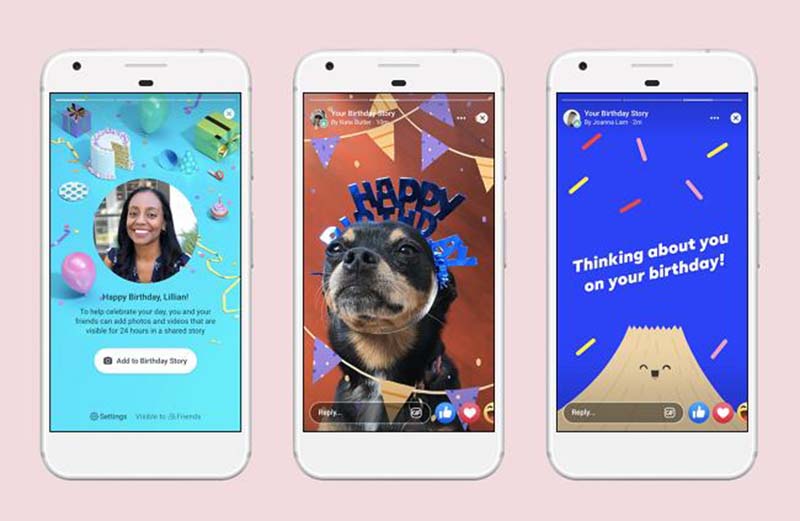
The story viewer list is more informative than most people realize. It is not just a count — it is a named list with profile photos, which means you can scroll through and take note of who is consistently showing up.
How to check your Story viewers on mobile:
- Open the Facebook app on your phone.
- Tap your own Story at the top of the feed to open it.
- Swipe up from the bottom of the screen.
- A list of everyone who has viewed the Story will appear, along with their profile pictures.
For desktop users:
- Click on your Story from the Facebook homepage.
- Look for the eye icon in the lower-left corner of the Story viewer.
- Click it to see the full viewer list.
One important limitation: after the 24-hour window closes, the Story moves into your archive. At that point, Facebook will still show you a total count of how many people viewed the Story, but it will no longer display the individual names. If you want to capture that information, check your viewer list before the Story expires.
Why does this matter for understanding who views your profile? Because people who consistently appear in your Story viewers — particularly people you do not interact with often or at all — are signaling active interest in your account. They may not comment on your posts or react to your photos, but they are watching.
Post Interactions — Reactions, Comments, and Shares
Every reaction, comment, and share on your posts is permanently visible and tied to a specific Facebook account. Unlike story views, this data does not expire, and it is available for every post you have ever made.
While post interactions are not the same as profile views, there is a meaningful correlation. Someone who consistently reacts to your posts, leaves comments, or shares your content is spending time on your profile. People who are genuinely curious about you tend to engage — and the pattern of that engagement over time is one of the clearest signals available.
What to look for:
Pay attention to accounts that react to your posts within minutes of you publishing them. That level of speed and consistency suggests they have notifications turned on for your account, or that they check your profile regularly. Look also at who reacts to older posts — if someone is working through your photo albums from two years ago and leaving reactions on things you posted long ago, that is a clear indicator of active profile browsing.
Video view counts add another dimension. Facebook shows view counts on video posts, and while it does not show individual viewer names (as it does with Stories), a consistently high view count relative to your follower count can be a useful reference point.
For Pages and creator accounts, Facebook offers Insights — a dedicated analytics dashboard that breaks down reach, engagement, demographic data, and content performance in detail. Personal profiles do not have the same level of analytics, but the engagement signals on individual posts serve a similar function.
Indirect Signals Worth Paying Attention To
Beyond the explicit viewer and engagement data, Facebook’s algorithm leaves a number of footprints that can give you a reasonable sense of who is paying attention to your account. These are indirect signals, not confirmed data points — but they are based on how the platform actually works, which makes them worth understanding.
The Order of Names in Your Friends List
Facebook’s Friends list is not sorted alphabetically or chronologically. It is managed by an automated system the company developed called Smart Lists, which categorizes and orders your connections using algorithmic criteria.
The factors Facebook weighs in this ordering include how often you interact with someone, how recently you have had activity in common, how many mutual friends you share, and — according to various analyses of Facebook’s algorithm — profile view activity. Friends who appear consistently near the top of your list are generally those the algorithm believes you have the strongest connection with, and active profile visiting is one of the signals it uses to determine that.
How to check:
- Open the Facebook app and tap your profile picture to go to your profile.
- Tap the Friends tab.
- Scroll through the list, paying particular attention to the names that appear at the very top.
This is not a definitive stalker-detection method — someone at the top of your list is just as likely to be a close friend you genuinely interact with all the time. But if names appear near the top of your list despite you having little direct interaction with them, it may be worth noting.
People You May Know
Facebook’s “People You May Know” feature is powered by a complex recommendation algorithm that pulls together dozens of signals to suggest accounts you might want to add as friends. The officially documented factors include mutual friends, shared group memberships, similar location data, phone contact correlation, and overlapping workplace or school information.
What Facebook does not document publicly — but what many users and researchers have observed over the years — is that profile view activity appears to influence these suggestions as well. People who visit your profile frequently, even if you have no other connection, have a tendency to show up in this list. The MIT Technology Review and various digital researchers have written about the opacity of Facebook’s recommendation systems, which makes it difficult to confirm exactly which signals are weighted and how heavily.
That said, if you notice someone appearing repeatedly in your “People You May Know” section and you cannot identify a clear reason — no mutual friends, no shared groups, no obvious connection — it is worth considering whether they may have visited your profile.
How to access it:
- Open the Facebook app and tap the menu icon (three horizontal lines).
- Tap Friends.
- Select Suggestions to see your current “People You May Know” list.
The Profile Page Source Code
This method has circulated online for years, and it deserves a clear-eyed explanation of what it actually shows — because it is frequently misrepresented.
When you view your own Facebook profile on a desktop browser and open the page source code, you will find a large block of JavaScript that includes various numerical user IDs. These IDs correspond to Facebook accounts — but they are not a list of recent profile visitors. They are a reflection of the people you interact with most: friends you chat with, people whose posts appear in your feed, accounts that the algorithm has identified as closely connected to yours.
In other words, the source code shows who Facebook’s algorithm thinks you are closely connected to — not who has been looking at your profile anonymously.
What the source code method actually involves:
- Open a web browser on your desktop and log into Facebook.
- Navigate to your own profile page.
- Right-click on an empty area of the page (not on an image or link) and select View Page Source (or press Ctrl+U on Windows, Cmd+Option+U on Mac).
- In the source code, use Ctrl+F to search for terms like
"uid"or"userID". - You will find a list of numerical IDs associated with your account’s network activity.
To convert those IDs into profile names, you would need to manually enter each one into a Facebook URL (facebook.com/[ID]). It is a slow, imprecise process that tells you more about your existing connections than about anonymous viewers.
This method is worth knowing about — but approach it with calibrated expectations. It is an indirect data point, not a viewer log.
MyParental and Facebook Monitoring for Parents

For parents who are concerned not about their own profile being viewed, but about what their children are doing on Facebook, the conversation shifts to a different set of tools entirely.
Facebook is officially available to users 13 and older, but many younger children create accounts anyway, and even teenagers with legitimate accounts can encounter content and conversations that parents would want to know about. Monitoring a child’s Facebook activity — including who is messaging them and what kinds of content they are engaging with — is a legitimate parenting concern.
MyParental Parental Control is one app that addresses this directly. Rather than trying to see who viewed your own profile, MyParental is focused on giving parents visibility into their child’s social media activity, including Facebook.
Some of its relevant capabilities include:
- Syncing Facebook notifications so that when the child’s device receives a Facebook message or alert, the parent is notified as well.
- Filtering inappropriate content, with the ability to flag or block certain types of posts or messaging that contain sensitive keywords.
- Scheduling Facebook usage, so that access to the platform is limited to certain hours of the day — useful for managing screen time around homework, bedtime, or family time.
- Screen mirroring, which allows a parent to see exactly what is on the child’s screen in real time, including any open Facebook conversations.
- Location tracking, so parents always know where the child’s device is physically located.
The app takes a transparent approach to monitoring — it is designed to be a tool that parents use openly as part of an ongoing conversation about digital responsibility, rather than a covert surveillance system. It is available on both Android and iOS, and a free trial is offered for parents who want to evaluate it before subscribing.
For families where Facebook is a concern — whether because of who the child is talking to, how much time they are spending on the platform, or what kind of content they are exposed to — MyParental provides a structured way to maintain appropriate oversight without needing to physically check the child’s phone every day.
Why You Should Be Skeptical of Third-Party “Profile Viewer” Apps
Search for “who viewed my Facebook profile” and you will find dozens of apps, browser extensions, and websites making confident claims. Most of them are ineffective at best and actively harmful at worst. Here is a breakdown of the specific risks.
They Cannot Access What They Claim to Access
Facebook does not give third-party developers access to profile view data through its API. This is not a technical limitation that clever developers can work around — it is a deliberate policy choice. Any app claiming to show you a list of profile visitors is either fabricating data, showing you algorithmically generated guesses, or repurposing the kind of engagement data (likes, comments, mutual activity) that is already visible to you through Facebook’s own interface.
The Facebook Platform Policy explicitly prohibits developers from collecting or using data in ways that violate user privacy, and “who viewed your profile” tools would require exactly that kind of data collection. Legitimate developers working within Facebook’s ecosystem cannot build this functionality.
Privacy and Security Risks
Granting a third-party app access to your Facebook account — which most of these tools require — opens the door to a range of privacy violations. Your personal information, your friends list, your message history, and your behavioral data can all be harvested, stored, and in some cases sold to advertisers or data brokers. In more serious cases, these apps have been associated with credential theft and account compromise.
A 2019 investigation by consumer advocacy groups found that many Facebook-connected apps continued to collect user data long after users had stopped actively using them — a practice that is difficult to detect and even harder to reverse once it has begun. Revoking app permissions through Facebook’s settings (Settings → Apps and Websites) is essential after using any such tool.
Device Performance and Spam
Beyond the data privacy issues, many of these apps consume significant device memory, introduce adware that generates persistent pop-up ads, and subscribe your email address to marketing lists without clear disclosure. The degraded experience is often immediate and noticeable.
The Right Standard to Apply
Before installing any app that claims to show Facebook profile viewers, ask two questions: Is this app available through the official App Store or Google Play Store with a substantial number of verified reviews? And does it clearly explain, in plain language, exactly what data it collects and how it uses that data? If the answer to either question is no, walk away.
What to Do If You Suspect Someone Is Stalking Your Facebook Profile
If your review of the indirect signals above — consistent story views from specific accounts, unusual engagement patterns, unexpected appearances in your “People You May Know” list — has left you genuinely concerned that someone is monitoring your profile in an unwanted way, there are several concrete steps you can take.
Make Your Profile Private
By default, many elements of a Facebook profile are visible to anyone with a Facebook account, not just your friends. Tightening these settings is the most immediate and effective way to limit unwanted access.
- Open the Facebook app and go to your profile.
- Tap About and work through each section: Contact Info, Basic Info, Work and Education, Places Lived, Family and Relationships, and so on.
- For each section, change the audience setting from Public to Friends or Only Me, depending on your comfort level.
This will not remove information that has already been seen, but it will prevent the person from accessing new updates going forward.
Control Who Sees Your Posts
Even if your profile is set to private, individual posts can still be set to Public, which overrides the profile-level setting. Adjust this for future posts and review older ones if needed.
- Go to the Menu (three horizontal lines) in the Facebook app.
- Tap Settings & Privacy, then Privacy Settings.
- Under Your Activity, tap “Who can see your future posts?” and change it to Friends, Specific Friends, or Only Me.
For older posts, Facebook offers a bulk privacy tool under Limit Past Posts, which retroactively restricts all previously public posts to Friends only.
Block Suspicious Accounts
Blocking is the most decisive action available. A blocked account cannot see your profile, your posts, your stories, or your activity anywhere on the platform — and you will not see theirs. It is a mutual and complete separation.
- Navigate to the profile of the account you want to block.
- Tap the three-dot menu next to their name or profile photo.
- Select Block and confirm.
You can also manage your block list through Settings → Blocking, where you can add accounts by name or email address without needing to visit their profile.
Manage Where You Are Logged In
If someone has access to your Facebook credentials — through a shared device, a phishing attempt, or a data breach — they can log in as you and see everything your account has access to. Reviewing your active sessions regularly is good security hygiene.
- Go to Settings → Security and Login.
- Under Where You’re Logged In, review the list of active sessions.
- Tap See All to see the full list, including the device type, browser, and approximate location for each session.
- For any session you do not recognize, tap the three dots next to it and select Log Out.
Also consider enabling Two-Factor Authentication from the same Security and Login menu, which adds a second verification step whenever someone tries to log into your account from a new device or browser.
Report to Facebook If Necessary
If the behavior escalates to genuine harassment or threats, Facebook’s reporting tools allow you to flag specific accounts, posts, or messages to the platform’s safety team. For situations involving serious threats, contacting local law enforcement is always an option — and in some jurisdictions, persistent online stalking is a criminal offense. The National Center for Victims of Crime has resources specifically related to cyberstalking that may be helpful.
Quick Reference: What Facebook Does and Does Not Show
| Feature | What You Can See | What You Cannot See |
|---|---|---|
| Stories | Full named list of viewers (within 24 hours) | Viewer list after the 24-hour window closes |
| Posts | Everyone who reacted, commented, or shared | Anyone who read the post without engaging |
| Videos | Total view count | Individual names of viewers |
| Friends List | Names ordered by algorithmic connection strength | The specific signals that produced the ordering |
| People You May Know | Suggested accounts | Why specific accounts were suggested |
| Profile Source Code | IDs of closely connected accounts | Anonymous profile visitors |
| Pages (Insights) | Reach, engagement, and demographic data | Individual profile visitors |
Frequently Asked Questions
Is there any official Facebook feature that shows profile visitors? No. Facebook has never offered a feature that shows who has viewed your personal profile, and its official documentation confirms this. Any tool claiming otherwise is not using data that Facebook provides to third-party developers.
Can the source code trick really show me who viewed my profile? Not exactly. The source code of your profile page contains user IDs associated with your account’s network and interaction history — not a log of anonymous profile visitors. It reflects algorithmic connection data, which may overlap with frequent visitors but is not a reliable indicator on its own.
Does Facebook notify someone if I visit their profile? No. Facebook does not send notifications for profile views on personal accounts. The person whose profile you visit will not receive any alert that you were there, as long as you do not interact with their content.
Why does someone I barely know keep appearing in my People You May Know? Several factors could explain this: shared mutual friends, overlapping group memberships, similar location or workplace data, or phone contact correlation. Profile view activity is also believed to influence these suggestions, though Facebook does not publicly confirm this.
Are third-party Facebook profile viewer apps safe to use? Generally, no. Most of these apps cannot access the data they claim to show you, and many of them collect your personal information, slow down your device, and expose your account to security risks. It is best to avoid them entirely and rely on Facebook’s native features instead.
Can I see who viewed my Facebook profile on a computer? The same limitations apply on desktop as on mobile — Facebook does not provide a profile viewer list on any platform. However, the page source code method can only be used on a desktop browser, and some engagement data may be easier to review in the desktop interface.
What should I do if I think someone is stalking my Facebook profile? Start by tightening your privacy settings so that your profile and posts are only visible to friends. Consider blocking specific accounts you are concerned about. If the behavior feels threatening or persistent, report it to Facebook and, if appropriate, to local law enforcement.
How can parents monitor their child’s Facebook activity safely? Parental control apps like MyParental allow parents to receive Facebook notifications from their child’s device, filter inappropriate content, schedule usage hours, and view the child’s screen in real time. This approach is more reliable and transparent than trying to monitor through a separate Facebook account.
Does Facebook’s algorithm use profile view data to rank my friends list? Facebook has not publicly disclosed the full list of signals it uses to order friend lists and recommendations. However, the platform is known to use interaction frequency, mutual activity, and engagement history — factors that are closely related to profile visiting behavior. The exact weighting of each signal is not publicly available.
Will making my profile private stop someone from seeing my posts? Making your profile private limits who can see your personal information and future posts. However, if you have previously posted publicly, that content may still be visible depending on the individual post’s privacy setting. Use Facebook’s “Limit Past Posts” tool to retroactively restrict older public content.
Final Thoughts
The desire to know who is looking at your Facebook profile is one of the most universal instincts in social media — and the honest reality is that Facebook keeps that information locked away by design. What the platform does give you, though, is a surprisingly rich set of indirect signals: story viewer lists, engagement patterns, friend list ordering, People You May Know suggestions, and source code data that, taken together, can paint a reasonable picture of who is paying attention to your account.
The key is knowing how to read those signals accurately, without over-interpreting any single data point or falling for third-party apps that promise more than they can deliver. Your story viewers are your best concrete data source. Everything else is context that requires judgment and a bit of pattern recognition.
If your concern is less about your own profile and more about who your child is interacting with on Facebook, dedicated parental control tools like MyParental offer a structured, transparent approach to oversight that goes well beyond what any workaround could provide.
And if you have genuine reason to believe your account is being monitored in an unwanted way, the privacy and security steps covered in this guide — particularly making your profile private, reviewing active login sessions, and blocking specific accounts — are the most effective tools at your disposal. Facebook’s built-in safety features, used consistently, are more powerful than most people realize.