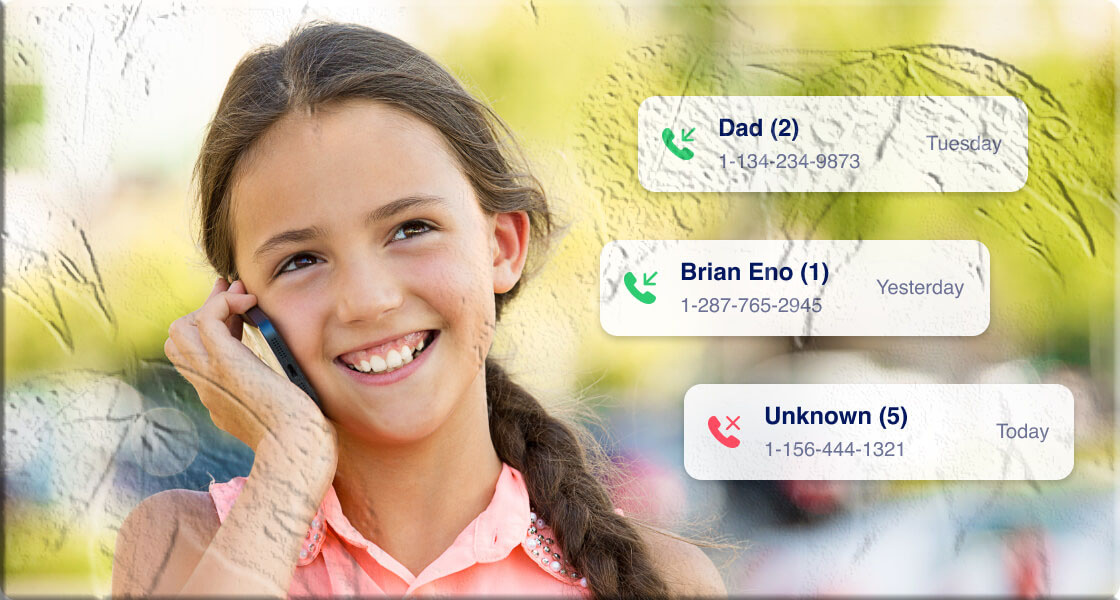

Phone calls happen quietly. There’s no permanent record of the conversation itself — just the number, the timestamp, and the duration. And yet, for a parent who notices their child spending long hours on the phone with contacts they don’t recognize, or who discovers a teenager has been receiving calls late at night from an unknown number, even that basic information is significant. Who called? How often? For how long?
Understanding a child’s call history isn’t about surveillance for its own sake. It’s about having enough information to start the right conversations, to recognize patterns that might indicate a problem, and to intervene before a casual contact with a stranger becomes something more serious. Predatory adults often build relationships with children through sustained phone contact long before anything alarming happens. A call history can surface patterns that a parent would otherwise have no visibility into.
The good news is that parents typically have multiple legitimate avenues for accessing call records — particularly when they are the account holder for the phone plan, or when they have appropriate access to the associated cloud account. This guide covers four distinct methods in depth: checking records through carrier websites (with step-by-step instructions for the major US and international carriers), using dedicated parental monitoring apps, accessing call history through cloud backups, and obtaining records through phone bills and formal legal channels.
Each method has its own strengths, technical requirements, time constraints, and appropriate use cases. A comparison table helps match the right approach to your specific situation. And throughout, the legal and ethical context is addressed directly — because accessing call records, even as a parent, requires understanding where the boundaries are.
Understanding What Call History Records — and What It Doesn’t
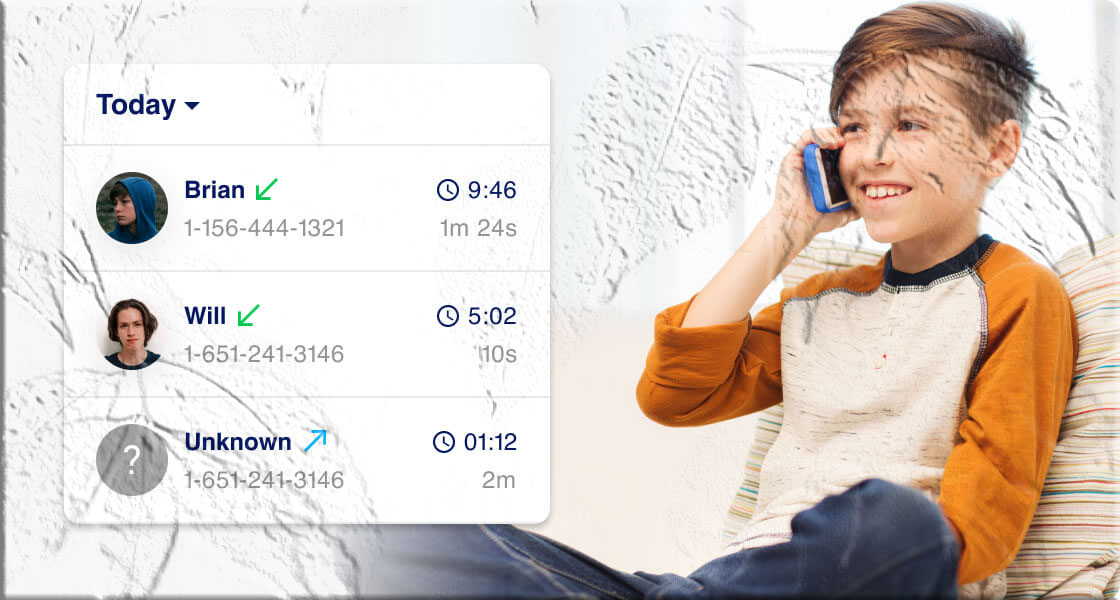
Before exploring the methods, it’s important to be clear about what call history actually contains. This shapes what each method can and can’t tell you.
What Call Records Capture
A standard call history entry records:
- The phone number that called or was called
- The date and time of the call
- The duration of the call (in minutes and seconds)
- The direction of the call — incoming, outgoing, or missed
- Whether the call was answered or declined (some systems)
This information is stored both on the device itself (in the phone’s built-in call log) and, with some delay, in the carrier’s billing system (as part of usage records that generate your phone bill).
What Call Records Don’t Capture
- The content of any conversation — call records are metadata, not recordings. No carrier log or call history shows you what was said.
- Texts or messaging app conversations — call history covers phone calls only, not SMS messages or communications through apps like WhatsApp, Snapchat, or iMessage.
- Calls made through third-party apps — VoIP calls made through WhatsApp, FaceTime, Zoom, or similar apps typically don’t appear in the carrier’s call logs because they route through the internet rather than the cellular network.
This last point matters for parents particularly: a teenager who primarily communicates through WhatsApp voice calls or FaceTime may have a sparse carrier call log that doesn’t reflect their actual communication patterns. A dedicated parental monitoring app addresses this gap more effectively than carrier records alone.
How Long Records Are Typically Stored
On the device itself, most phones store somewhere between 100 and 500 recent call entries in the built-in call app. On iPhones, the default is approximately 100 entries; on Android, the limit varies by manufacturer and can typically go higher.
On carrier systems, call records are retained as part of billing records for varying periods depending on the carrier’s policy — typically between 60 days and 24 months for directly accessible online records, with longer retention available through formal request or legal process.
Method 1: Check Call History Through Your Carrier’s Website
Why This Is the Starting Point for Most Parents
If you are the account holder for your child’s phone line — meaning the line is part of a family plan or prepaid account that you pay for — the carrier’s online portal is the most straightforward place to start. As the account holder, you have a legitimate right to view usage records for lines under your account. No additional tools, apps, or setup is required beyond your existing carrier login credentials.
The carrier portal typically shows you call dates, times, durations, and the numbers called or received. It won’t show you contact names (numbers only, unless you recognize them), and it covers a defined lookback period that varies by carrier.
Step-by-Step Instructions for Major US Carriers
AT&T
AT&T provides call log access going back up to 60 days, with a maximum of 100 calls displayed.
Step 1: Go to att.com in a browser and sign in with the account holder’s credentials (the primary account holder’s username and password).
Step 2: From the account dashboard, click “My Plans” in the main navigation.
Step 3: Select the specific line you want to review — in a family plan, each line appears separately.
Step 4: Choose the “Voice” or “Phone” option, then select “Call Logs” to view the call history for that line.
The log will display calls with date, time, duration, and number. AT&T’s full usage history documentation is available through their AT&T Premier support resources.
Verizon Wireless
Verizon provides call history for the past 90 days and offers 18 months of past bill statements that may contain usage records.
Step 1: Go to verizonwireless.com and sign in with the account holder’s My Verizon credentials.
Step 2: From the account home, scroll down to find “View Usage Details” and click on it.
Step 3: Navigate to the “Usage” section.
Step 4: Click “View Details” to see the call log for the selected line, including dates, times, durations, and numbers.
For questions about specific record requests or historical data beyond 90 days, Verizon’s customer support page provides contact options.
T-Mobile
T-Mobile offers one of the longer lookback windows among major carriers — call records available for up to 365 days (one full year), in multiple downloadable formats.
Step 1: Sign in to your T-Mobile account at t-mobile.com using the account holder’s credentials.
Step 2: Click the main menu icon and select “See my bill.”
Step 3: Navigate to the “Call log” section.
Step 4: Click the “Options” icon in the call log section.
Step 5: Select “Call timers” to view the detailed call history, including duration information.
T-Mobile’s year-long lookback window is particularly valuable when patterns of contact developed over several months need to be reviewed. Their account support documentation provides additional detail on accessing usage records.
Sprint (Now Part of T-Mobile)
Sprint’s call history portal provides records for the past 90 days.
Step 1: Go to sprint.com and sign in with the account holder’s username and password.
Step 2: Click “My Account” and select “Your bill.”
Step 3: Select “See my bill” from the options on screen.
Step 4: To view call details specifically, look for and click “For Call Details: Click here.”
Note that following T-Mobile’s acquisition of Sprint, many Sprint accounts have been migrated to T-Mobile’s systems. If you’re not finding call history through the Sprint portal, try the T-Mobile account portal with the same or updated credentials.
Spectrum Mobile
Spectrum Mobile provides call records for the past 60 days, with a maximum of 100 calls per report.
Step 1: Sign in to your Spectrum account at spectrummobile.com/manage-account.
Step 2: Click on “Call Details” in the account management dashboard.
Step 3: Use the “Date range” filter to specify the period you want to review.
Step 4: Set the call type filter as appropriate (all calls, incoming, outgoing) and click “Create Report.”
The report will generate a downloadable or viewable log for the specified period.
Straight Talk
Straight Talk provides call history for up to three months through its account portal.
Step 1: Visit straighttalk.com and log in with the account holder’s credentials.
Step 2: Navigate to the “My Account” tab.
Step 3: Click “View My Bill” and then look for the link labeled “View Phone Records.”
Step 4: Click “Usage History” to display calls made and received in an organized format.
Google Fi
Google Fi provides call and text history for the past 6 months.
Step 1: Go to fi.google.com and sign in with the Google account associated with the Fi plan.
Step 2: Scroll down to the “Manage plan” section. If you’re on a group plan, click on the specific user whose call history you want to review under “People.”
Step 3: Scroll down to the “Phone settings” section, approximately halfway down the page.
Step 4: Look for the “History” option just below “Call forwarding” and click it to view the call and text history.
Google Voice
Google Voice stores call history for at least 6 months and is accessible through both the website and mobile app.
Step 1: Go to voice.google.com and sign in with the Google account associated with the Voice number.
Step 2: Click “Calls” in the left-side navigation menu.
Step 3: Your call history displays as a chronological list including date, time, and call duration for each entry.
Step 4: Use the search bar or filter options to find specific calls or date ranges.
Step-by-Step for International Carriers
Jio (Reliance Jio) — India
Jio allows call history access for up to 180 days through its app or website.
Step 1: Open the MyJio app on your device or visit jio.com.
Step 2: Log in with the account credentials.
Step 3: Tap or click “Check Usage.”
Step 4: Select “Voice” and then click “View Details” to see the call history.
Airtel (Bharti Airtel) — India
Airtel provides access to up to 6 months of call history through its app and website.
Step 1: Log in to the Airtel Thanks app or visit airtel.in.
Step 2: Navigate to the “Bills & Payments” section.
Step 3: Select “View Bill Details.”
Step 4: Choose the billing period for which you want to view call records.
Vi (Vodafone Idea) — India
Vi provides up to 6 months of call history.
Step 1: Log in to the Vi app or visit myvi.in.
Step 2: Go to the “Bill & Payments” section.
Step 3: Select “View Bill Details.”
Step 4: Choose the billing period to access the call records.
BSNL (Bharat Sanchar Nigam Limited) — India
BSNL provides up to 6 months of call history through its selfcare portal.
Step 1: Visit the BSNL selfcare portal and log in with your mobile number and password.
Step 2: Navigate to “View Bill” or “Usage Details.”
Step 3: Select the time period for which you want to view records.
Carrier Portal Limitations Every Parent Should Know
Records are number-only, not name-matched. Carrier portals show phone numbers, not the names saved on the child’s phone. You’ll see that the same number called seven times this week but won’t see the name “Jake from school” or “Unknown” as it appears on the child’s device. Cross-referencing numbers with contact names requires device access or a different method.
VoIP and app calls don’t appear. Calls made through WhatsApp, FaceTime, FaceTime Audio, Telegram, Signal, or any other internet-based calling app don’t route through the cellular network and therefore don’t appear in carrier call logs. If your child primarily communicates through apps, carrier records may significantly underrepresent their actual call volume.
Lookback windows are hard limits. Once data ages out of the available window (60 days for AT&T and Spectrum, 90 days for Verizon and Sprint, etc.), it’s not accessible through the online portal. Historical records beyond these windows may require a formal request to the carrier, often with fees and turnaround time.
Family plans require account holder status. You need to be the primary account holder to access usage records for lines on the plan. If the child’s line is on a plan in another person’s name, you don’t have portal access without that account holder’s cooperation.
Method 2: Use a Dedicated Parental Control Monitoring App
Why Carrier Portals Aren’t Always Enough
Carrier portals are useful tools — but they have fundamental gaps that a parental monitoring app addresses:
- Carrier logs show numbers only, without names
- App-based calls (WhatsApp, FaceTime, Telegram) are invisible to carriers
- Carrier portals offer no real-time alerts when a call happens
- There’s no way to block specific numbers or contacts from carrier portals
- You can’t see who’s calling vs. who the child is calling in real time
A dedicated parental monitoring app operates at the device level rather than the carrier level. It can see the contact name as stored on the child’s phone, monitor when calls happen in real time, log both incoming and outgoing calls with timestamps, and — crucially — give parents the ability to proactively manage who can and cannot contact their child.
MyParental Parental Control: Call Monitoring for Families
MyParental Parental Control includes a call monitoring module designed for exactly this family safety context. It provides parents with real-time visibility into their child’s phone call activity — not just a historical log, but active notifications when calls are received, along with tools to manage which contacts can reach the child.
What MyParental’s Call Monitoring Provides
Real-time call notifications: When the child’s phone receives an incoming call, the parent receives a notification on their own device. This live alert capability is something carrier portals can’t provide — with a carrier, you only see call records after the fact.
Incoming call history log: All incoming calls are recorded in the MyParental dashboard with timestamps and contact information (including names as they appear on the child’s device, not just numbers). This log persists from the moment the devices are paired.
Call management controls: Parents can remotely manage which numbers can contact their child. This includes:
- Blocking specific phone numbers from calling or being called
- Setting time-based restrictions (calls blocked during school hours, after a set bedtime)
- Viewing a report of how call contacts have changed over time
Location context for calls: When a call is received, MyParental can show where the child’s device is located at the time — providing geographic context for communication patterns.
Activity reports: Comprehensive usage reports covering call activity, app usage, and screen time can be generated for any defined period, giving parents a structured overview of their child’s phone use.
Setting Up MyParental for Call Monitoring
Step 1: Download MyParental Parental Control on the parent’s device. Create a parent account using your email address.
Step 2: Optionally, you can also access the parent dashboard through the web version at the MyParental website — allowing you to check on call history from a computer browser rather than only from your phone.
Step 3: On the child’s Android or iPhone, download the MyParental Kids companion app. Install this with the child’s knowledge — explain what the app monitors and why you’re setting it up.
Step 4: In the parent app, a pairing code is generated for your account. Open MyParental Kids on the child’s device and enter the code to link the two accounts. The pairing is specific to your account.
Step 5: Once pairing is complete, you’ll begin receiving call notifications immediately. Open the parent dashboard and navigate to the call history or notifications section.
Step 6: To configure call management: select the mode for call management from the options available, which offer different levels of restriction. Add specific numbers you want to block to the blocked contacts list.
Step 7: Configure any additional monitoring features you want to enable — location tracking, app usage limits, screen time controls — based on your family’s specific needs.
Why Transparency Matters in Parental Call Monitoring
MyParental is designed for transparent family monitoring — not covert surveillance. The child’s device has the companion app installed, and the child should be aware that the monitoring is in place.
This matters both ethically and practically. Research from Common Sense Media’s studies on teens and digital privacy consistently shows that children who know parental monitoring tools are present and understand the reasoning behind them exhibit better online behavior than those who discover monitoring they were unaware of. The conversation that comes with transparent setup — “I can see who’s calling you because I want to make sure you’re safe” — is itself a valuable part of the safety infrastructure.
Method 3: Access Call History Through Cloud Backup
How Cloud Backups Store Call Data
Both Android (through Google Drive) and iPhone (through iCloud) backup systems include call history as part of the device data they preserve. When a device backs up to the cloud, the current call log is included in that snapshot.
This creates a secondary record of call history that exists independently of the carrier’s billing system. If a child has deleted calls from their device’s call log — a behavior that might itself be worth noting — a cloud backup made before those deletions may preserve the records.
Cloud backup call history has both a strength and a limitation: it’s a snapshot taken at backup time, not a continuous real-time record. The most recent backup available determines how current the call data is.
Accessing Call History from Google Drive Backup (Android)
Restoring from a Google Drive backup is done during the initial device setup process, which means it requires a factory reset of a device — a significant step that wipes current content and replaces it with backup data.
Before proceeding: This method is appropriate when you’re setting up a new device, restoring a device after a reset, or when you have a secondary compatible Android device available. It is not appropriate as a casual daily check of call history — it’s a more involved process suited to specific circumstances.
Step 1: Open Google Drive on a device with access to the relevant Google account and confirm that a backup exists. Go to the menu icon → “Backups” to see available backups and their dates.
Step 2: On the device you want to restore to, go through the factory reset process: Settings → General Management → Reset → Factory Data Reset (the specific path varies by Android manufacturer).
Step 3: During the initial device setup after the reset, you’ll reach a screen asking how you want to set up the device. Select “Restore from Google backup.”
Step 4: Sign in with the Google account associated with the backup and select the backup you want to restore from.
Step 5: Allow the restoration to complete. Once finished, the device’s call history will reflect what was stored in the selected backup.
Step 6: Open the Phone app to view the call log, or navigate through the device as normal.
Accessing Call History from iCloud Backup (iPhone)
Similarly, restoring from iCloud requires going through the iPhone setup process, which means erasing the device first.
Step 1: In the iPhone’s Settings app, go to General → Transfer or Reset iPhone → Erase All Content and Settings. Confirm when prompted. The device will erase and restart.
Step 2: Go through the initial iPhone setup process as prompted.
Step 3: On the “Apps & Data” screen during setup, select “Restore from iCloud Backup.”
Step 4: Sign in with the Apple ID associated with the child’s iCloud account.
Step 5: Select the iCloud backup you want to restore from. Choose a backup date that would contain the call history you’re trying to access.
Step 6: Wait for the restoration to complete. This may take several minutes depending on backup size and connection speed. Once complete, the Phone app will contain the call history from the backup.
When This Method Is and Isn’t Appropriate
Cloud backup restoration is a meaningful undertaking — it’s not a casual lookup method. It’s most appropriate when:
- You’re already setting up a new or replacement device
- You have a secondary compatible device available for restoration
- You need to verify call history from a specific past period that’s been deleted from the device
It’s not practical as a regular call history monitoring method. For ongoing call visibility, the parental control app approach (Method 2) is significantly more appropriate.
Method 4: Access Records Through Phone Bills and Legal Channels
What the Phone Bill Shows
A monthly phone bill, whether received digitally or by mail, typically includes an itemized usage section that lists calls made and received. The information is similar to what’s visible on the carrier’s online portal — number, date, time, duration — but organized by billing period rather than presented as a continuous log.
As the primary account holder for a family plan, you receive the phone bill and have full access to the usage records it contains. This is the most straightforward legitimate access path: the bill comes to you, the records are yours to review.
Limitations of the Phone Bill Approach
One billing period at a time. Each bill covers one month. To review multiple months, you need multiple bills — which may be archived online for 12–18 months on most carrier portals.
Delayed availability. The bill for the current month isn’t available until the billing cycle closes. Carrier portal records (Method 1) typically have more current data available than waiting for the bill.
App-based calls still absent. The phone bill reflects the same cellular usage data as the carrier portal — VoIP and internet-based calls don’t appear.
Not name-matched. Phone bills list numbers only, without the contact names from the child’s phone.
Requesting Records Beyond What’s Online
For call records older than what’s available through the online portal or standard bill archive, carriers can sometimes provide extended records through a formal request process. This typically requires:
- Account holder identity verification
- A written request to the carrier’s customer service or legal team
- Possible fees for historical record retrieval
- Turnaround time ranging from days to weeks
Contact your specific carrier’s customer service to understand their process for historical record requests.
Legal Process for Non-Account-Holders
If you are not the account holder for the phone line and need access to call records for legal or safety reasons — for example, a custodial parent whose child’s phone is on the other parent’s plan — the process requires formal legal intervention.
In the United States, law enforcement agencies can obtain call records through subpoena or court order. Private individuals seeking call records for legal proceedings (such as custody cases where call history is evidence) must typically obtain a court order, which requires legal representation and meeting a legal threshold for the request. This is not a quick process, but it is a legitimate avenue when the legal circumstances warrant it.
The Electronic Communications Privacy Act (ECPA) governs how phone records can be accessed in the US legal context. For any situation involving legal proceedings, consulting a qualified attorney is essential.
Method Comparison: Choosing the Right Approach
| Method | Access Requirement | What You Can See | History Available | Difficulty | Cost |
|---|---|---|---|---|---|
| Carrier Website | Account holder login | Numbers, dates, times, durations | 60–365 days (varies by carrier) | Low | Free |
| Parental Control App | One-time child device setup | Numbers, names, timestamps, real-time alerts | From date of setup onward | Low | Free trial available |
| Cloud Backup | Cloud account access + device reset | Snapshot of call log at backup time | Depends on backup date | Medium–High | Free |
| Phone Bill / Legal | Account holder or court order | Numbers, dates, durations by billing period | 12–18 months of bills online | Low–High | Free (legal fees if court order needed) |
Quick Decision Guide
For immediate, straightforward call history lookup: Carrier website portal — requires only your existing account login.
For ongoing monitoring with real-time alerts and contact blocking: Parental control app — best suited for families who want continuous visibility, not just historical lookups.
For recovering call records that were deleted from the device: Cloud backup restoration — highest complexity, most appropriate when records have been deliberately removed.
For accessing records through formal legal or billing channels: Phone bill — simplest for current/recent data; legal process for non-account-holder situations.
Legal and Ethical Considerations: What Every Parent Should Understand
Accessing call records — even your own child’s — involves legal and ethical dimensions that deserve explicit attention.
What Parents Are Legally Permitted to Do
In most jurisdictions, parents have broad legal authority to monitor minor children’s devices. As the account holder for a family phone plan, you have a straightforward legal right to access usage records for lines under your account. This is your contractual right with the carrier — not a gray area.
For parental monitoring software, laws vary by country and state, but parental monitoring of minor children’s devices is generally permitted in the US, UK, EU, and most other developed legal frameworks. The Family Educational Rights and Privacy Act (FERPA) and other child-specific laws recognize parents’ role in monitoring their children’s digital safety.
The Ethical Dimension: Transparency vs. Covert Monitoring
Legal permission and ethical best practice aren’t always identical. Parents have the legal right to monitor minor children’s devices in most places — but research consistently shows that transparent monitoring produces better outcomes than covert surveillance.
When children know a monitoring tool is in place and understand the reasoning, they tend to:
- Make safer choices online and on the phone (the awareness itself is protective)
- Maintain a more trusting relationship with parents
- Develop better self-regulation skills over time
When monitoring is discovered after being covert, the primary outcome tends to be damage to the parent-child trust relationship — which is precisely the relationship needed for effective parenting during adolescence.
The American Psychological Association’s guidelines on adolescent privacy recommend that monitoring be proportionate to the identified risk and communicated transparently to children in age-appropriate terms.
What These Methods Are Not For
To be unambiguous: every method in this guide is presented for use by parents monitoring their own minor children’s devices, or by individuals checking their own records. These methods are not appropriate for:
- Monitoring an adult’s call records without their consent (including adult children, spouses, or partners)
- Accessing records for an account you are not authorized to access
- Any purpose that constitutes stalking, harassment, or coercive control
Unauthorized access to another person’s phone records is a criminal offense in most jurisdictions. In the US, it may violate the ECPA, state wiretapping laws, and computer fraud statutes. In the EU, it violates GDPR. The penalties for unauthorized access to telecommunications records can include substantial fines and criminal charges.
If you have concerns about your own call records being accessed without your permission, the Electronic Frontier Foundation’s guide to digital privacy provides practical steps for protecting your account security.
Protecting Your Child: What Call History Tells You and What to Do With It
Viewing call history is the beginning, not the end. The data becomes useful only when you know how to interpret it and what to do in response.
Patterns Worth Paying Attention To
Frequent calls from unknown numbers, especially at unusual hours. A number that calls regularly late at night or early in the morning, especially from an area code that doesn’t match your family’s social circle, warrants follow-up.
Very long calls with unfamiliar numbers. Duration matters as much as frequency. A child spending 90 minutes in regular phone calls with a number you don’t recognize is a different situation than occasional brief calls.
Sudden changes in call patterns. A child who rarely uses the phone’s call function and suddenly has multiple long calls per day has had a change in behavior worth understanding.
Numbers that match with concerning app activity. If a child is receiving calls from a number that also appears in their social media messages in a concerning context, that cross-reference is significant.
How to Use This Information Constructively
The goal isn’t to confront a child with call records as evidence — it’s to open a conversation. “I noticed you’ve been getting calls from a number I don’t recognize — who is that?” is a starting point for dialogue, not an accusation.
For older teenagers especially, involving them in the conversation about what they’re comfortable sharing — and why you as a parent feel the need to be informed — builds the communication patterns that make adolescent supervision effective. The Child Mind Institute’s guidance on talking to teens about phone use provides practical frameworks for these conversations.
If call records reveal something that suggests immediate risk — contact with a known predator, patterns consistent with recruitment into risky situations — that’s a situation for direct intervention and possibly contacting law enforcement. The National Center for Missing and Exploited Children (NCMEC) operates a CyberTipline for reporting suspected online exploitation of minors.
Frequently Asked Questions
Can I check my child’s call history from my carrier account if their line is on my plan?
Yes — as the primary account holder for a family plan, you have access to usage records for all lines under the account. Log into your carrier’s online portal using your account credentials and navigate to the usage details for your child’s specific line. The process varies by carrier and is detailed in Method 1 of this guide.
How far back can I see call history through a carrier portal?
It depends on the carrier. T-Mobile offers up to 365 days; Verizon and Sprint offer approximately 90 days; AT&T and Spectrum offer up to 60 days; Google Fi and Google Voice offer approximately 6 months. For records older than what’s available online, contact your carrier directly — some provide extended records through a formal request process, sometimes with a fee.
Will my child know if I check their call history through the carrier portal?
Accessing your carrier’s account portal to view usage records doesn’t notify the person on the monitored line. The carrier portal shows account-level data visible only to the account holder. However, if your child notices you’re logged into your carrier account and reviews what information is accessible there, they could infer what you’ve seen.
Do calls made through WhatsApp, FaceTime, or other apps appear in carrier call history?
No. Calls made through internet-based apps route through data connections rather than the cellular network, so they don’t appear in carrier call logs. This is a significant limitation of the carrier portal method — many children and teenagers communicate primarily through app-based calling, which is invisible to carrier records. A dedicated parental control app operating at the device level is the only way to gain visibility into app-based call activity.
Is it legal to use a parental monitoring app to check my child’s call history?
In most countries, yes — parental monitoring of minor children’s devices is legally permitted, and parental control apps are specifically designed for this purpose. However, laws vary by jurisdiction, and some regions have specific requirements around notification or age limits. In the US, there is no federal prohibition on parental monitoring of minor children’s devices. In the EU, GDPR considerations apply but generally recognize parental authority over minor children’s data. Monitoring adult children (18+) without their consent is not legally protected in the same way.
Can I block specific phone numbers from calling my child’s phone?
Through the carrier portal, call blocking options are limited and vary by carrier — some offer basic spam blocking, but targeted blocking of specific numbers is typically done through the device itself or a parental control app. MyParental Parental Control includes a call management feature that lets parents remotely add specific numbers to a blocked list, preventing those numbers from reaching the child’s phone.
What if my child has deleted their call history from their phone — can I still see it?
Carrier records aren’t affected by call history deletion from the device — the carrier’s billing system maintains its own records independent of what’s stored on the phone. So even if a child deletes their call log from the device, the carrier portal will still show calls within the available lookback window. Cloud backup records (Method 3) may also preserve call history from before deletion, depending on when the last backup was made.
How do I get call records beyond what’s available online?
Contact your carrier’s customer service directly and explain that you need records older than what’s available through the portal. Most carriers can provide historical records through a formal request, though this may take time and potentially incur fees. If you need records for legal proceedings, consult an attorney — legal process (subpoena or court order) can compel carriers to provide more complete historical records.
Conclusion
Call history sits at the intersection of privacy and safety in a way that few other types of data do. It tells you who your child has been in contact with, how frequently, and for how long — without telling you anything about what was said. As a monitoring tool, it’s useful for identifying patterns and surfacing contacts worth discussing, rather than for comprehensive insight into relationships.
The four methods covered in this guide give parents a range of options suited to different situations and technical comfort levels. Carrier portals are the easiest starting point for account holders and provide weeks to months of historical data. Parental monitoring apps provide real-time visibility, contact name matching, and the ability to proactively manage who can reach a child. Cloud backups offer a recovery option for deleted records in specific circumstances. And phone bills and legal channels handle situations where formal or historical records are needed.
Whatever method fits your situation, the most effective parental monitoring is the kind that’s paired with open conversation. Call records give you information; what you do with that information — how you bring it into dialogue with your child — determines whether it strengthens or strains the relationship you need to keep them safe.
This article is for informational purposes only. Always ensure that your access to call records complies with applicable laws in your jurisdiction and with the terms of your carrier’s service agreement. Unauthorized access to another person’s call records is illegal. If you are seeking call records for legal proceedings, consult a qualified attorney.