

WhatsApp has become one of the most essential communication tools worldwide, connecting billions of people every day. But with so many users, privacy concerns naturally arise—especially when it comes to your phone number. Many people prefer not to reveal their personal number to strangers, clients, or online contacts.
If you’ve ever wondered whether you can hide your number on WhatsApp, you’re not alone. While WhatsApp does not offer a built‑in feature to conceal your number, there are reliable ways to protect your privacy and keep your real number hidden.
This guide explains everything you need to know, from using alternate numbers to adjusting privacy settings, so you can enjoy WhatsApp without compromising your personal information.
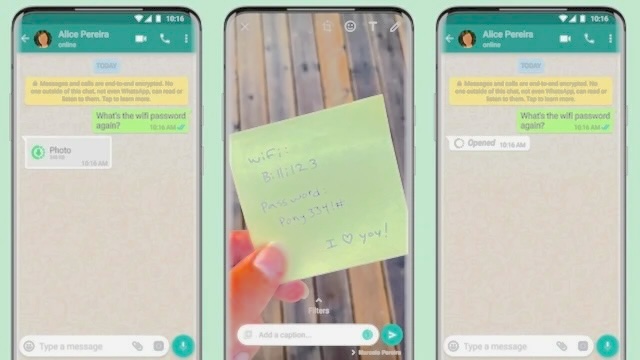
Can You Hide Your Number on WhatsApp?
The short answer is no—WhatsApp requires a valid phone number to create and verify your account. Your number is part of your identity on the platform, and WhatsApp does not allow you to mask or hide it from other users.
However, this doesn’t mean you must expose your real number. The best workaround is to use an alternate phone number, such as a Google Voice number, which allows you to stay connected while keeping your personal number private.
How to Hide Your Number on WhatsApp (Best Working Method)
If you want to keep your real number private, the most effective method is to register WhatsApp using a different number. Below is a simple step‑by‑step guide.
1. Get a Google Voice Number
A Google Voice number is one of the easiest ways to use WhatsApp without exposing your personal phone number. It works like a virtual number that forwards calls and messages to your real device.
Step‑by‑Step Instructions
Step 1: Download Google Voice
- Install Google Voice from the Google Play Store or Apple App Store.
Step 2: Sign In
- Open the app and sign in using your Google account.
- Tap Search to browse available numbers.
Step 3: Choose a Number
- Search by city or area code.
- Select a number that fits your preference.
Step 4: Link Your Real Phone Number
- Enter your actual phone number to verify your Google Voice account.
- Enter the verification code sent to your phone.
- Your Google Voice number is now active.
2. Change Your WhatsApp Number
Once you have your Google Voice number, you can update your WhatsApp account to use it instead of your real number.
Step 1: Open WhatsApp Settings
- Go to Settings → Account.
Step 2: Select “Change Number”
- Tap Change phone number → Next.
Step 3: Enter Your Old and New Numbers
- Old number: your real phone number
- New number: your Google Voice number
Step 4: Notify Contacts (Optional)
- WhatsApp allows you to notify all, some, or none of your contacts.
- Group chats will be notified automatically.
Once completed, your WhatsApp account will now be linked to your alternate number—keeping your real number private.
Bonus: How to Block Unknown Messages on WhatsApp
If you want to avoid unwanted messages from unknown numbers, WhatsApp offers built‑in tools to help you stay protected.
How to Block Unknown Senders
- Go to Settings → Privacy.
- Tap Advanced.
- Enable Block unknown account messages.
Manual Blocking
- Open the chat → tap the contact name → select Block.
This helps reduce spam and keeps your inbox clean.
Why You Might Want to Hide Your Number on WhatsApp
There are several reasons why users prefer not to share their personal number:
1. Protecting Your Privacy
Not everyone feels comfortable sharing their phone number with strangers, coworkers, or online buyers. Using an alternate number helps keep your identity safe and prevents unwanted contact.
2. Avoiding Spam & Telemarketing
Once your number becomes public, you may start receiving:
- Spam messages
- Telemarketing calls
- Scam attempts
Using a secondary number shields your real one from exposure.
3. Separating Work and Personal Life
If you use WhatsApp for business, it’s smart to keep your personal number private. A separate number:
- Looks more professional
- Keeps your personal chats separate
- Helps you manage communication more efficiently
Conclusion
While WhatsApp does not allow you to hide your phone number directly, you can still protect your privacy by using an alternate number such as Google Voice. Combined with WhatsApp’s privacy settings and blocking tools, you can enjoy the platform safely without exposing your real number.
Frequently Asked Questions
1. Can I use WhatsApp without a phone number?
No. WhatsApp requires a valid phone number for verification. However, you can use a secondary number instead of your real one.
2. If I block someone, can they still see my number?
Yes. Blocking prevents communication, but your number remains visible because it is tied to your account identity.
3. What’s the best alternative to hiding my number?
Using a second number (Google Voice, VoIP apps, or a spare SIM) is the most effective method.
4. Can I hide my profile photo or status instead?
Yes. Go to Settings → Privacy and choose who can see:
- Profile photo
- About
- Status
- Last seen
You can set them to Nobody, My Contacts, or My Contacts Except.
5. Is using a virtual number safe?
Yes, as long as you use trusted services like Google Voice or reputable VoIP providers.